
All in One Accessibility PRO
The all-in-one accessibility solution by Skynet Technologies includes Google Translate integration with lazy loading, a vast selection of supported languages, a callback function for language changes,
- Free plan available
- No credit card
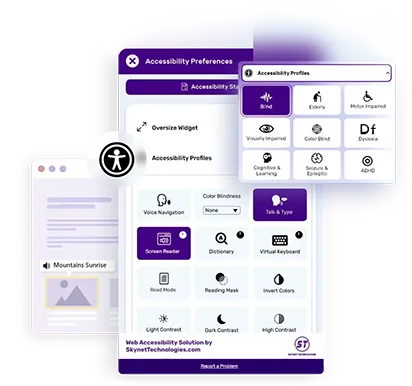
What is All in One Accessibility PRO?
Key features
Google Translate integration
Uses Google's translation engine to convert site content into multiple languages
Lazy loading
Translation widget loads without slowing down your initial page load
Wide language support
Offers a large selection of languages for visitor selection
Language change callback
Lets you run custom code whenever a visitor switches languages
Dynamic language selection
Visitors can switch languages on the fly without page refresh
Service navigation
Helps visitors find language options and handle translated content
Pros & cons
Advantages
- Easy to install and requires no manual translation work; Google Translate handles the conversion
- Lazy loading means minimal performance impact on your site
- Callback function gives you control to update other elements or trigger analytics when languages change
- Freemium model means you can test it without upfront cost
Limitations
- Google Translate quality varies by language pair; automated translation can miss context and nuance
- Relies on Google's service, so any issues with Google Translate will affect your site's translations
- Limited customisation of how translations appear or behave compared to native multi-language solutions
Use cases
Adding basic translation to a single-language website without rebuilding it for multi-language support
Making your site more accessible to international visitors who speak different languages
Meeting accessibility compliance requirements that include language options
Testing international audience interest before investing in professional translation
Providing quick language switching for existing websites without native localisation
Ready to try All in One Accessibility PRO?
Pricing
Get started with All in One Accessibility PRO
Click through to All in One Accessibility PRO and start using it now.
- Free plan available
- No credit card