
AnyToSpeech
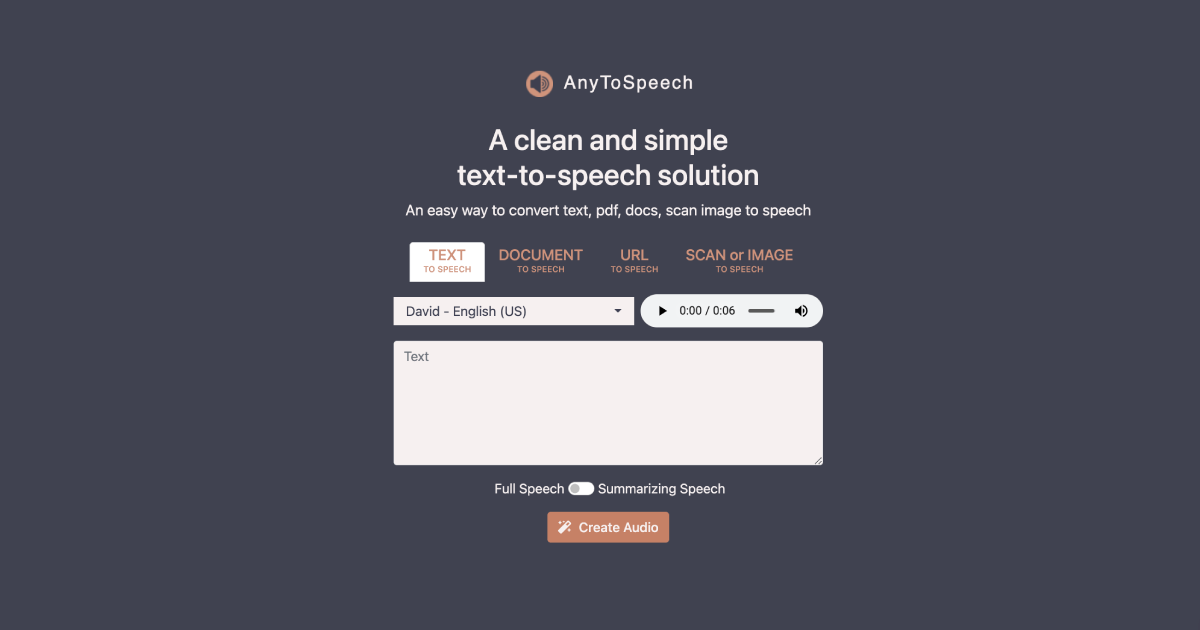
AnyToSpeech is an AI text-to-speech solution that effortlessly converts text, pdfs, docs, scans, and images into speech. It's designed with a clean and simple interface to provide an easy user experie
- Freemium
- Web
- WritingAI Speech-to-TextImage Generation
- Free plan available
- No credit card
What is AnyToSpeech?
Key features
Multi-format input
accepts text, PDFs, Word documents, scanned images, and photos containing text
Image and document scanning
converts text from images and scanned documents into speech
Web-based interface
accessible from any browser without software installation
Freemium model
basic text-to-speech available free, with premium features in paid tiers
Audio file output
generates downloadable audio files from converted content
Pros & cons
Advantages
- Accepts multiple input formats, so you don't need to convert documents beforehand
- Handles scanned documents and images with text, which many basic tools don't support
- Free tier available, allowing you to test the tool before paying
- Simple interface requires no training or technical knowledge
Limitations
- No information available on voice quality, language options, or customisation settings like speech speed or pitch
- Web-only access; no dedicated mobile apps or offline functionality mentioned
- Limited details on processing speed or file size limits for batch conversion
Use cases
Creating audio versions of research papers or articles for listening while commuting
Converting PDFs and documents into audio for people with visual impairments or dyslexia
Generating voiceovers for presentations or training materials without hiring voice talent
Listening to scanned documents or handwritten notes that have been digitised
Making study materials audible for auditory learners
Ready to try AnyToSpeech?
Pricing
Premium
Not specified
Unlimited conversions, priority processing, additional voices and customisation options
Get started with AnyToSpeech
Click through to AnyToSpeech and start using it now.
- Free plan available
- No credit card