Autodesk Forma AI
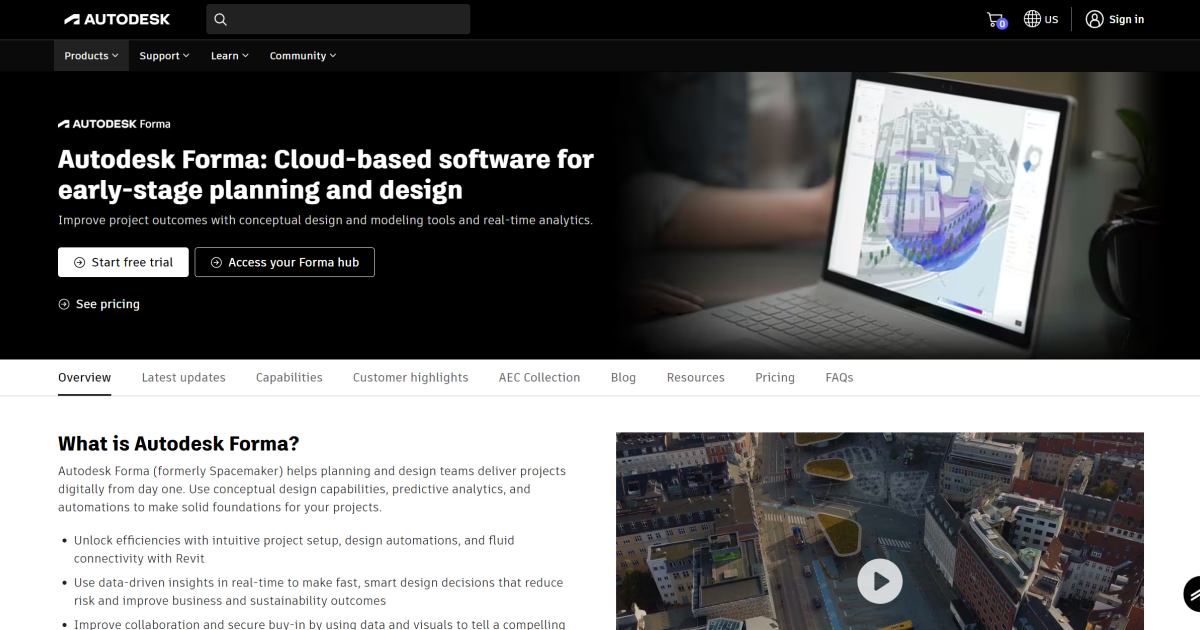
AI-powered platform streamlining AEC design and collaboration.
What is Autodesk Forma AI?
Key Features
AI-assisted layout generation
Automatically suggests building arrangements and spatial configurations based on project parameters
Site analysis tools
Evaluates sunlight, wind patterns, views, and other environmental factors affecting design
Collaborative workspace
Enables teams to work on the same project simultaneously with version control and commenting
Integration with Autodesk ecosystem
Connects with Revit, Civil 3D, and other professional design software
Cloud-based storage
Saves projects securely online with access from any location
Early-stage concept modelling
simplifies the process of exploring multiple design options before detailed development
Pros & Cons
Advantages
- Free to use, making it accessible for small practices and students
- Reduces time spent on initial design iterations and space planning
- Works well for urban planning and site-level analysis tasks
- Cloud-based workflow supports remote collaboration across distributed teams
Limitations
- Limited to early-stage design; not suitable for detailed construction documentation
- Requires internet connection and Autodesk account registration
- May require learning curve for teams unfamiliar with AI-assisted design workflows
Use Cases
Urban planners exploring multiple site layout options quickly
Architecture firms evaluating early design concepts before detailed development
Real estate developers analysing feasibility of building configurations
Design students experimenting with spatial arrangements and environmental performance
Multidisciplinary teams collaborating on building massing and site relationships
Pricing
Full access to core design and collaboration features, cloud storage, and AI-assisted layout tools
Quick Info
- Website
- www.autodesk.com
- Pricing
- Free
- Platforms
- Web
- Categories
- Design, Developer Tools, Productivity