ChatEngram
Auto-sync AI chats to Notion & Obsidian.
- Freemium
- Web, Chrome Extension
- Developer ToolsProductivityBusiness
- Free plan available
- No credit card
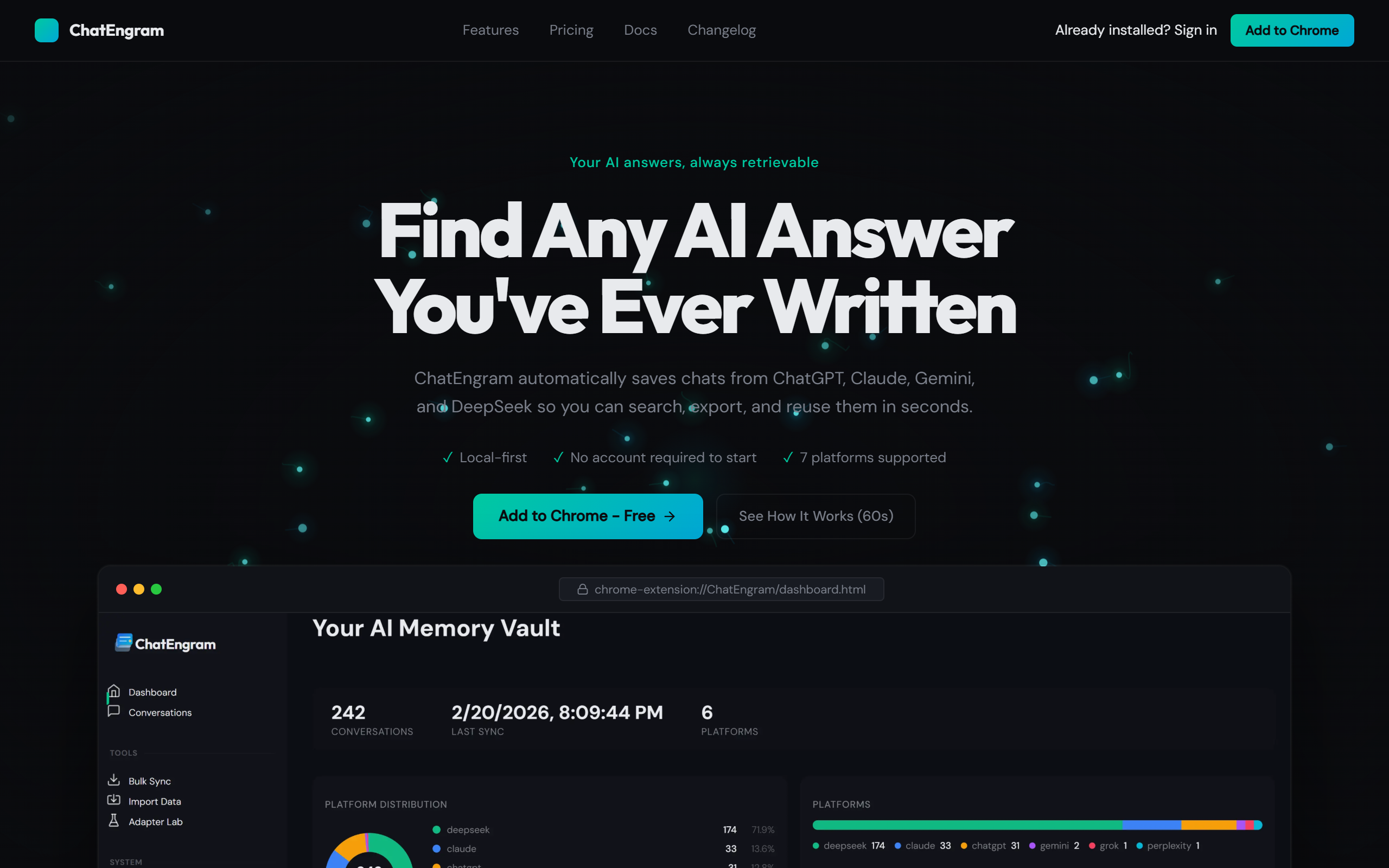
What is ChatEngram?
Key features
Auto-sync
Conversations automatically transfer to Notion or Obsidian without manual copying
Multi-platform support
Works with ChatGPT and other popular AI chat tools
Note organisation
Synced chats integrate with your existing Notion databases or Obsidian vaults
Searchable content
Access and search through past AI conversations within your notes app
Freemium access
Basic functionality available free, with optional paid upgrades
Pros & cons
Advantages
- Saves time compared to manual copy-paste workflows
- Keeps AI conversations in one place alongside other research and notes
- Works with tools you already use daily
- Free tier available with no credit card required
Limitations
- Depends on maintaining active syncing; broken integrations could cause missed conversations
- Limited to Notion and Obsidian; doesn't export to other note-taking platforms
- Pricing tiers and feature limits are not clearly detailed on basic inspection
Use cases
Researchers saving AI-assisted literature reviews and fact-checking conversations
Writers storing brainstorming sessions with AI writing assistants
Students archiving tutoring conversations and explanations for later review
Knowledge workers building searchable archives of AI-assisted problem-solving
Product teams documenting AI-generated ideas and feedback during planning sessions
Ready to try ChatEngram?
Pricing
Get started with ChatEngram
Click through to ChatEngram and start using it now.
- Free plan available
- No credit card