
ChocolateBar
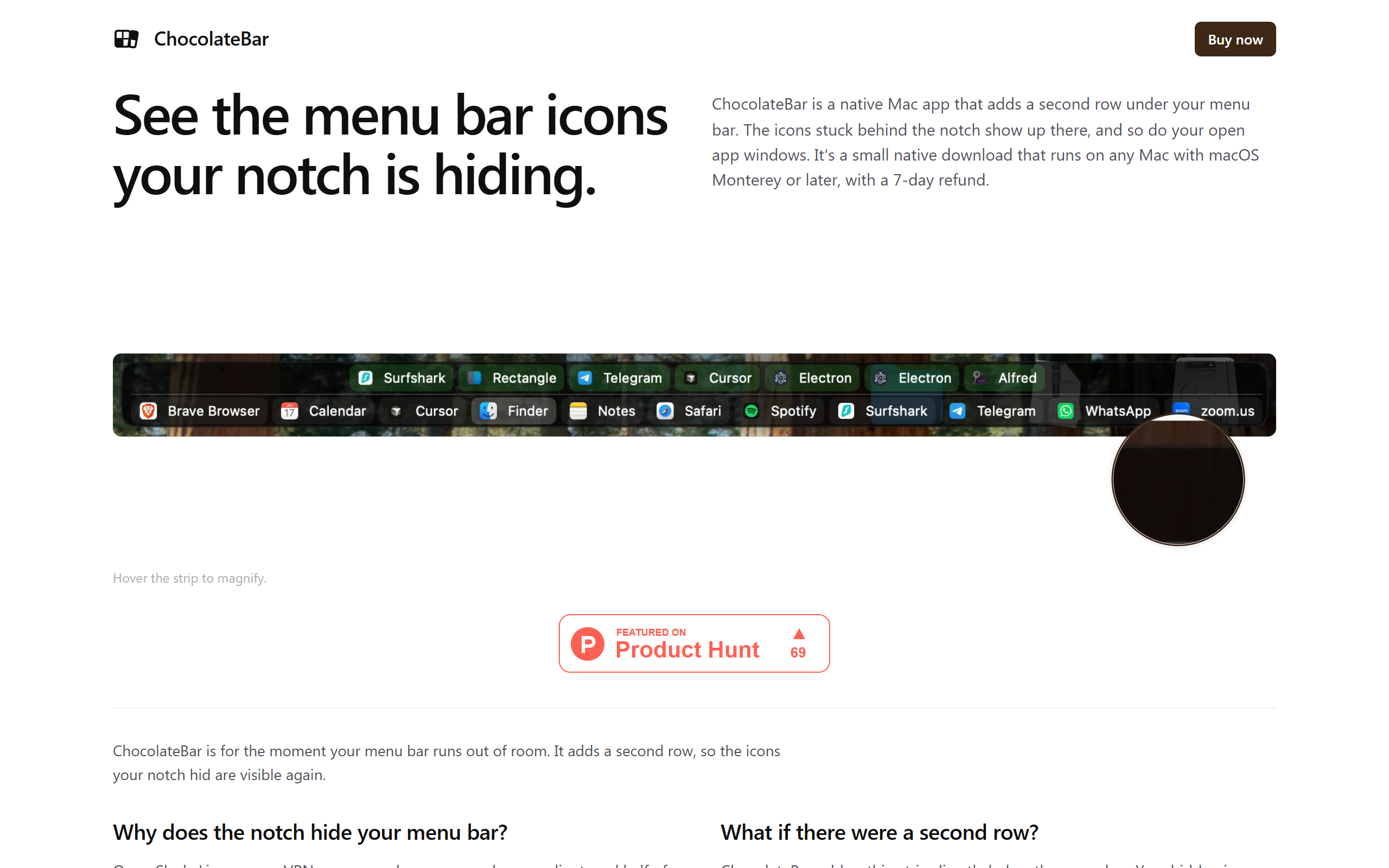
A native Mac app that shows the menu bar icons hidden behind the MacBook Pro notch, plus your open app windows.
- Paid
- macOS
- Other
What is ChocolateBar?
Key features
Notch icon recovery
Adds a fixed second row under the menu bar that shows every icon macOS hides behind the notch.
Open window switcher
Running app windows appear in the same strip so you can switch without Cmd-Tab or the Dock.
Real menu pass-through
Clicking an icon in the strip clicks the genuine menu bar item, opening the same native menu with no imitation UI.
Automatic detection
New menu bar icons and open windows appear in the strip on their own after install and granting permission.
Flexible layout
The strip can run horizontally across the screen or vertically as a column on either side.
Accessibility API integration
Uses Apple's Accessibility framework to read menu bar items and list active windows.
Lightweight footprint
Universal binary around 5 MB to download and roughly 30 MB of RAM at launch.
Pros & cons
Advantages
- One-time purchase rather than a subscription, with a low headline price of $15.
- Native universal binary that runs on both Apple Silicon and Intel Macs while using little memory.
- Works directly with the real menu bar through Apple's Accessibility API, so there is no separate or duplicated interface to learn.
- A 48-hour full-feature free trial requires no card, and the 7-day refund is handled by email without forms.
- Solves a specific, common annoyance for owners of notched MacBook Pro models.
Limitations
- macOS only, so there is nothing for Windows or Linux users and limited value for Macs without a notch.
- Requires granting Accessibility permission, which some privacy-conscious users may hesitate over.
- The product is early stage, with macOS Tahoe support listed as still coming and a launch discount limited to the first buyers.
- There is no public affiliate, partner or referral programme.
Use cases
MacBook Pro owners who lose menu bar icons behind the notch and want them permanently visible.
Users with many menu bar utilities that overflow and get clipped by the notch on smaller screens.
People who prefer switching between open app windows from a single strip instead of Cmd-Tab or the Dock.
Mac users who want a lightweight, native tool rather than a heavier menu bar manager.
Those who want to keep using the genuine native menus while still seeing every icon.
Ready to try ChocolateBar?
Pricing
ChocolateBar
15 one-time
One-time purchase of the full app for Apple Silicon and Intel Macs. Includes a 48-hour free trial with no card required and a 7-day no-forms refund. A launch code (LAUNCH10) drops the price to $10 for the first buyers.
Get started with ChocolateBar
Click through to ChocolateBar and start using it now.