
CLI_manager
Your CLI Agents, Projects All in One Place
- Free plan available
- No credit card
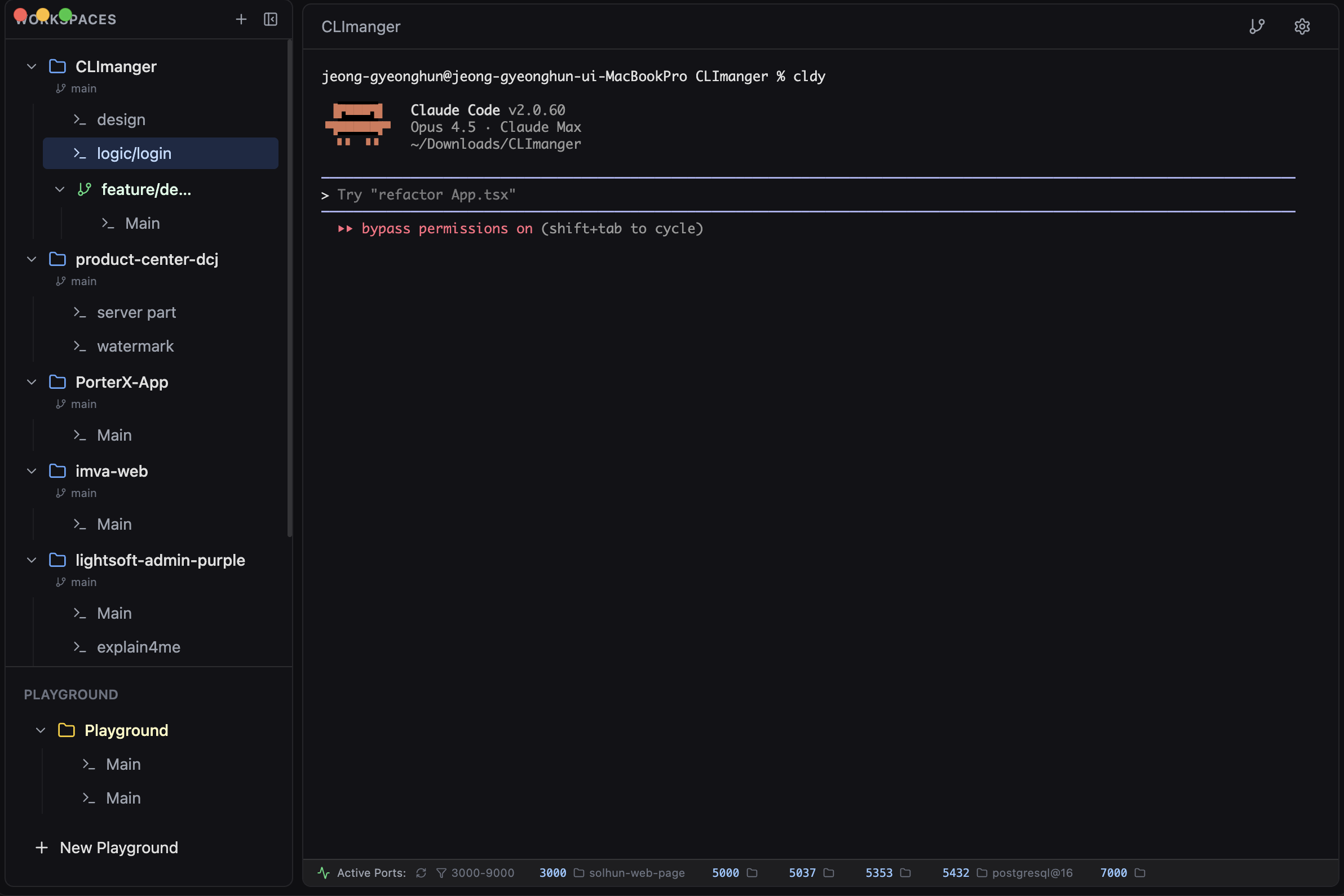
What is CLI_manager?
Key features
Centralised project dashboard
view and manage all your CLI projects and agents from a single interface
Agent management
monitor, start, stop, and configure CLI agents without manual terminal commands
Project organisation
group related CLI tools and scripts together for easier access and tracking
Freemium model
core functionality available at no cost, with optional paid features for advanced use cases
Web-based interface
access your CLI management tools through a browser rather than multiple terminal windows
Pros & cons
Advantages
- Reduces clutter from managing multiple terminal windows and configurations
- Provides visibility into agent status and project health at a glance
- Free tier available, making it accessible for individual developers and small teams
- Centralised approach saves time switching between different management tools
Limitations
- Adds an extra layer of abstraction between you and direct terminal access, which some experienced CLI users may find unnecessary
- Limited information available about specific features and pricing tier differences in the free versus paid versions
- Web-based approach may introduce slight latency compared to native terminal tools for time-sensitive operations
Use cases
Managing multiple automation scripts and scheduled CLI tasks across different projects
Monitoring health and status of distributed CLI agents or microservices
Organising CLI tools and deployment commands for team collaboration
Centralising logs and outputs from command-line operations for easier debugging
Coordinating CLI workflows that span multiple projects or environments
Ready to try CLI_manager?
Pricing
Free
Free
Basic CLI project and agent management, web dashboard access, core organisational features
Paid (specific tier names and prices not publicly detailed)
Contact for pricing
Advanced features beyond free tier; visit https://www.solhun.com/ for current pricing details
Get started with CLI_manager
Click through to CLI_manager and start using it now.
- Free plan available
- No credit card