Clip Interrogator
Adjust clip timing, speed, add transitions, effects, titles with an intuitive interface for beginners.
- Freemium
- Web
- VideoDesignDeveloper Tools
- Free plan available
- No credit card
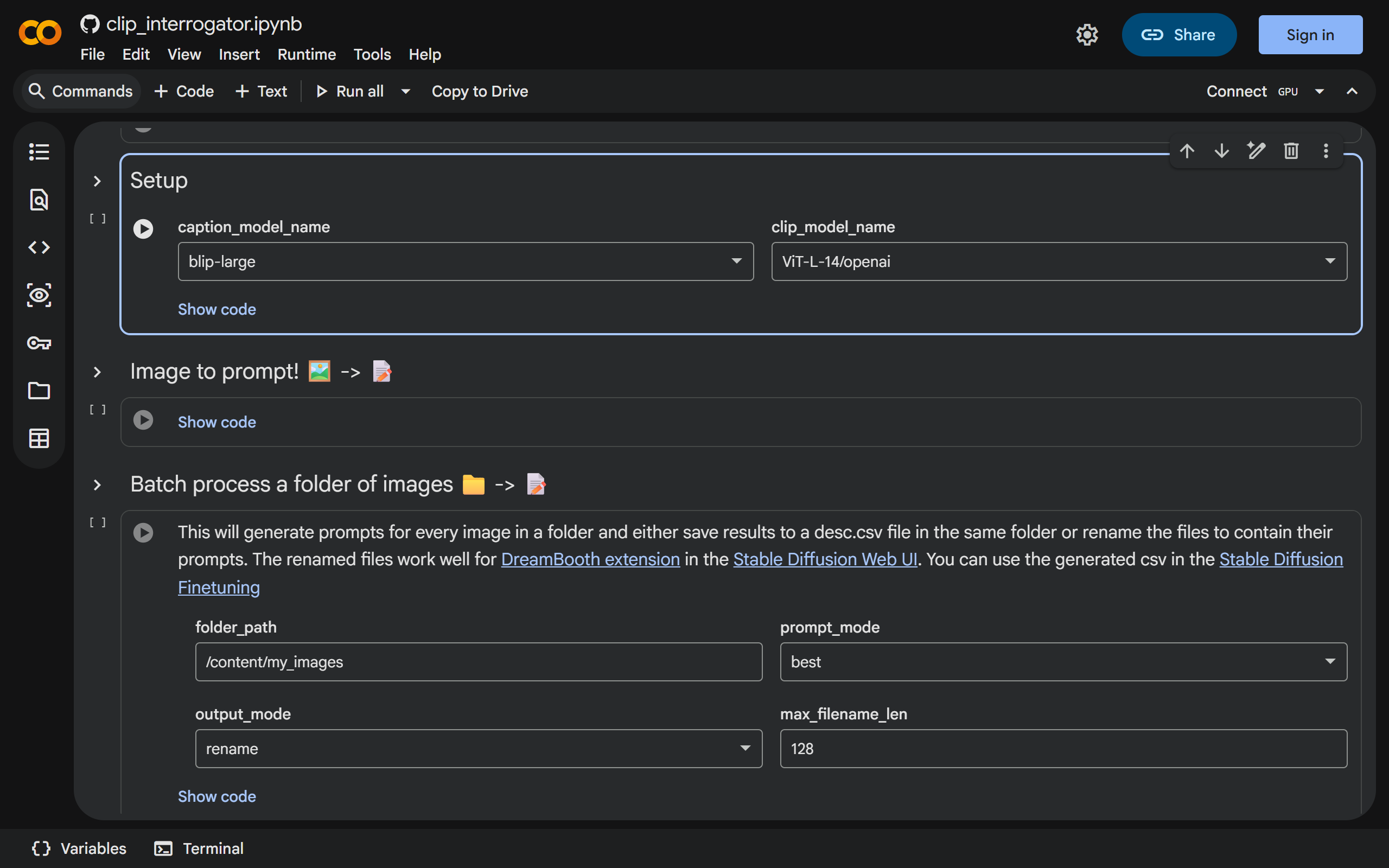
What is Clip Interrogator?
Key features
Image analysis
upload images and receive detailed text descriptions of their content, style, and composition
CLIP-powered interrogation
uses advanced image recognition to understand visual elements and context
Prompt generation
creates text prompts suitable for use with AI image generators
Colab integration
runs directly in Google Colab with no local installation required
Batch processing
analyse multiple images in a single session
Pros & cons
Advantages
- Free to use with a Google account and access to Colab
- No software installation needed; works entirely in a web browser
- Useful for understanding what makes an image visually distinctive
- Helpful for creating prompts for AI image generation tools
Limitations
- Requires familiarity with Google Colab and running Jupyter notebooks
- Depends on CLIP's training data, so descriptions may miss subjective or detailed details
- Accuracy varies depending on image complexity and content type
Use cases
Generating prompts for text-to-image AI tools based on reference images
Understanding the visual elements and style of existing artwork
Reverse-engineering image descriptions for accessibility or documentation
Analysing design inspiration by breaking down visual composition into words
Batch analysing a collection of images to extract consistent stylistic elements
Ready to try Clip Interrogator?
Pricing
Free
Free
Full access to image analysis and interrogation features; limited by Google Colab's free tier usage quotas
Get started with Clip Interrogator
Click through to Clip Interrogator and start using it now.
- Free plan available
- No credit card