
Copy Stack: Cross Clipboard
Secure Cross-Device Synchronization
- Freemium
- Web, Windows, macOS, iOS, Android
- VideoWritingProductivity
- Free plan available
- No credit card
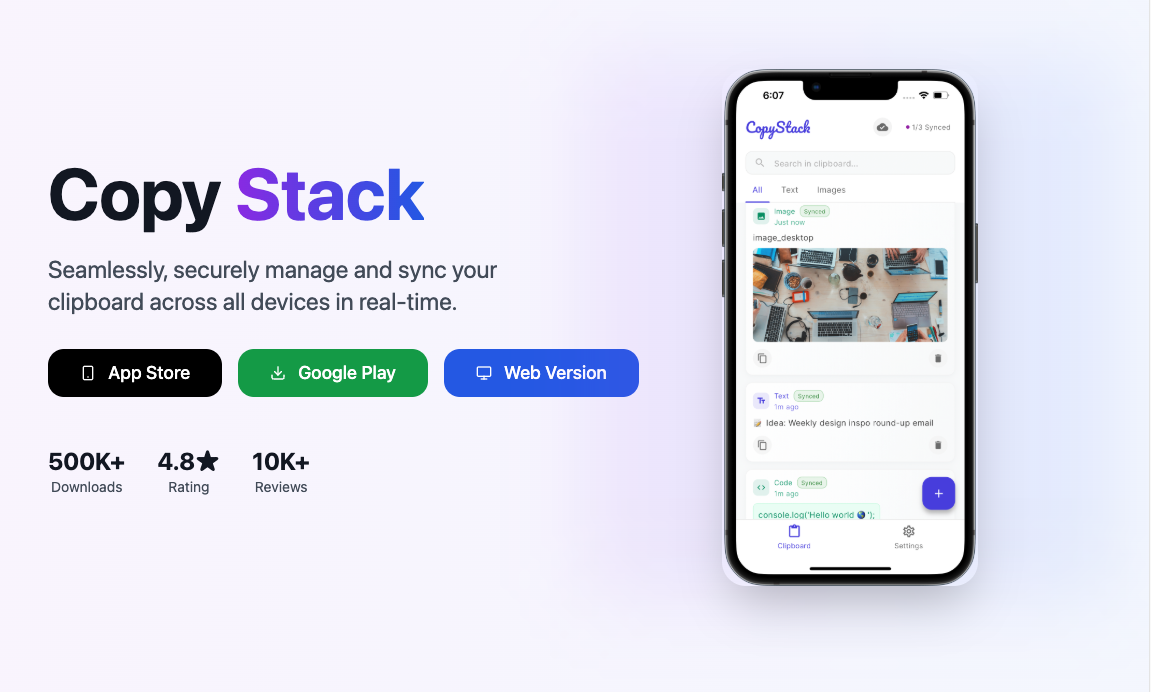
What is Copy Stack: Cross Clipboard?
Key features
Cross-device clipboard sync
Copy on one device and paste on another without manual transfer
End-to-end encryption
Your clipboard data is encrypted to protect privacy
Cloud storage
Clipboard history is stored securely so you can access past items
Web interface
Access your clipboard from any browser without installing software
Quick setup
Minimal configuration required to start syncing across devices
Pros & cons
Advantages
- Solves a genuine workflow problem by eliminating manual copy-paste between devices
- Free tier available, so you can try it without commitment
- Security-focused approach with encryption for sensitive clipboard data
- No complex setup or steep learning curve
Limitations
- Relies on internet connectivity; offline clipboard sync is not possible
- Limited information about storage limits on the free tier
- Ecosystem smaller than some competitor clipboard managers
Use cases
Copying a link from your phone browser and pasting it directly into your desktop application
Syncing text snippets, code, or passwords across work devices securely
Maintaining clipboard history when switching between multiple computers throughout the day
Quick data transfer between tablet and laptop without email or messaging apps
Ready to try Copy Stack: Cross Clipboard?
Pricing
Free
Free
Basic cross-device clipboard sync, cloud storage of clipboard history, encrypted sync
Premium
Pricing not publicly listed
Extended storage, priority support, additional device slots (exact details unclear)
Get started with Copy Stack: Cross Clipboard
Click through to Copy Stack: Cross Clipboard and start using it now.
- Free plan available
- No credit card