
Deepnote
A collaborative data science notebook with a free Student plan that includes more powerful hardware than the standard free tier.
- Always free
- No credit card
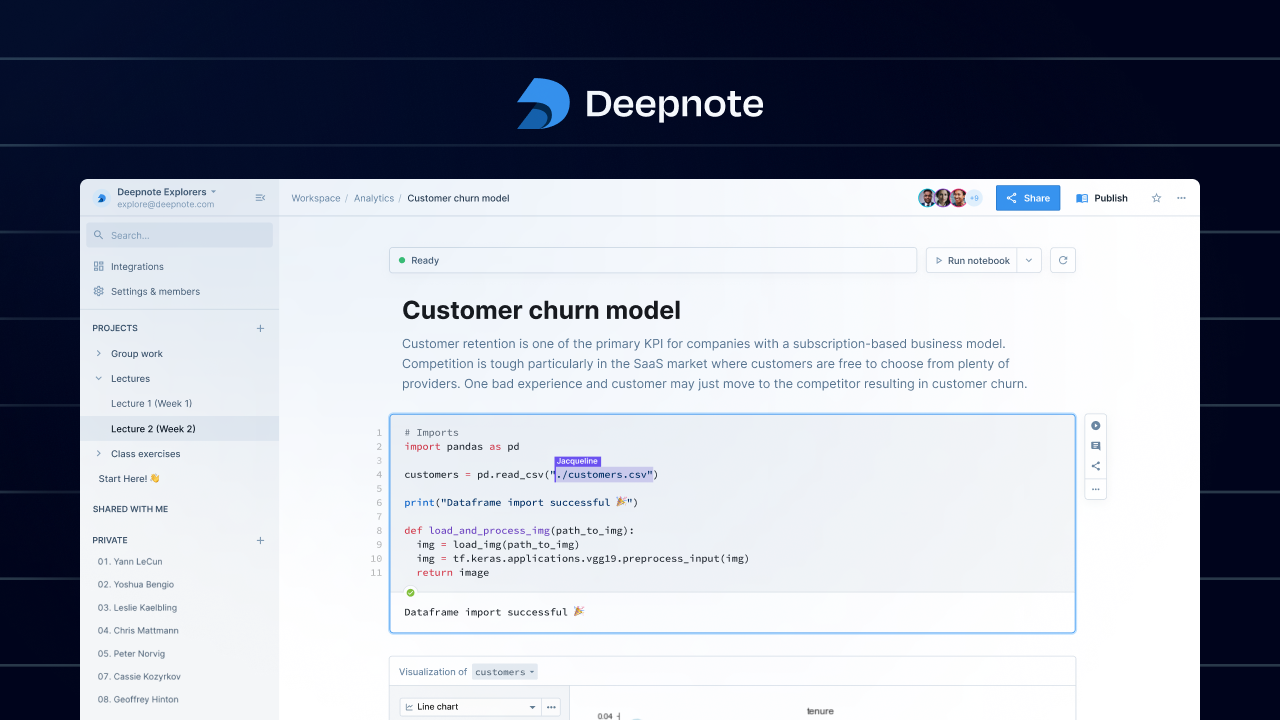
What is Deepnote?
Key features
Collaborative real-time editing
Multiple users can work on the same notebook simultaneously with live cursors and instant updates
Python and SQL support
Write and execute both Python and SQL queries in the same notebook environment
Built-in data visualization
Create charts, graphs, and interactive visualizations without external libraries
Database integration
Connect directly to PostgreSQL, MySQL, BigQuery, Snowflake, and other data sources
Version control and history
Automatic version tracking and the ability to revert to previous notebook states
Shareable notebooks
Publish and share interactive notebooks with read-only or collaborative access controls
Pros & cons
Advantages
- Generous free tier with powerful hardware, ideal for students and individual data scientists
- True real-time collaboration makes team-based data work significantly more efficient
- Simple, intuitive interface that's accessible to both beginners and experienced data professionals
- Native SQL support eliminates the need to switch between tools when working with databases
- Excellent for creating reproducible, shareable analysis and documentation
Limitations
- Smaller ecosystem compared to Jupyter or other established notebook platforms, with fewer third-party extensions
- Free tier may have limitations on computation time, memory, or the number of collaborators on complex projects
- Less mature than some competitors, which may mean occasional bugs or missing advanced features
Use cases
Student projects and coursework in data science, machine learning, and analytics classes
Team-based exploratory data analysis where multiple analysts need to collaborate in real-time
Creating shareable reports and dashboards to communicate data insights to stakeholders
Building and documenting ETL pipelines that connect to production databases
Prototyping machine learning models and sharing experimental code with colleagues
Ready to try Deepnote?
Pricing
Free
Free
Individual notebooks, real-time collaboration, Python and SQL support, integration with common databases, generous hardware allocation
Student
Free
All Free tier features with enhanced hardware and computational resources, designed specifically for academic use
Pro
Custom pricing
Advanced collaboration features, priority support, increased computational resources, and additional integrations for professional teams
Get started with Deepnote
Click through to Deepnote and start using it now.
- Always free
- No credit card