
Emu Edit
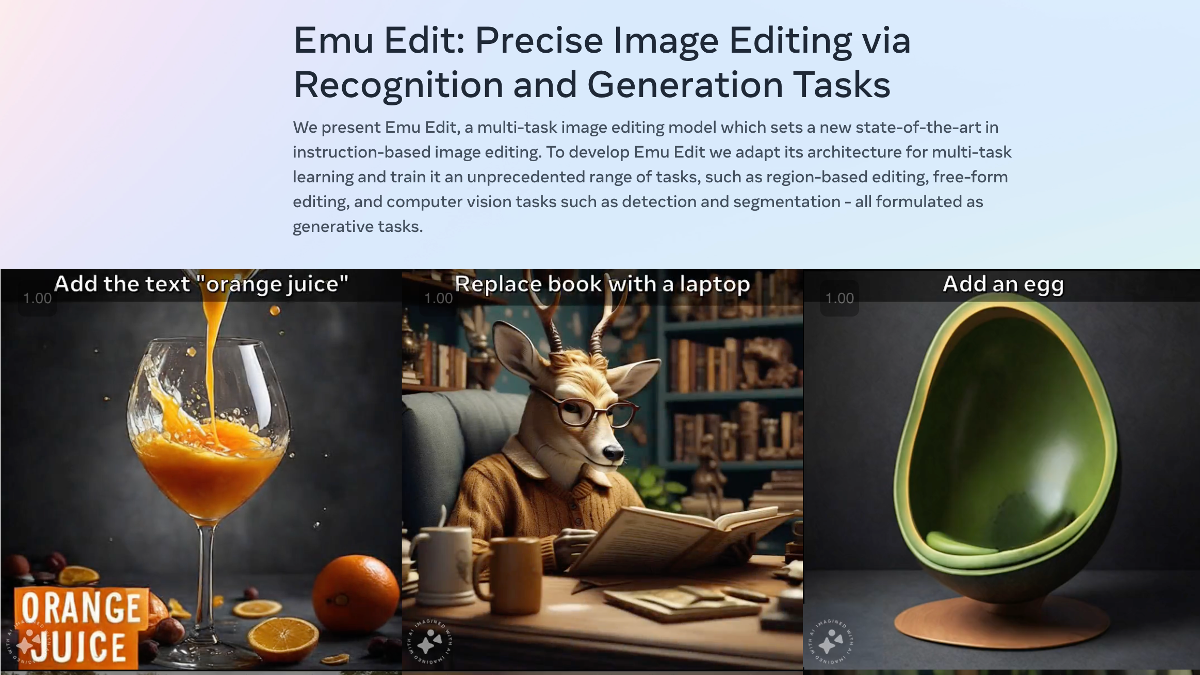
Emu Edit is a cutting-edge multi-task image editing model that has revolutionized instruction-based image editing. By adapting its architecture for multi-task learning and training it on a diverse arr
- Always free
- No credit card
What is Emu Edit?
Key features
Multi-task image editing
handles region-based editing, free-form adjustments, object detection, and segmentation from a single model
Text-based instructions
edit images by describing what you want to change rather than using manual selection tools
Few-shot learning
adapts to new editing tasks with minimal labelled examples
Task embeddings
uses learned representations to understand different types of editing jobs
Diverse capability range
performs background alteration, object addition, and other editing operations across seven benchmarked tasks
Pros & cons
Advantages
- Free to use with no apparent subscription costs
- Single model handles multiple editing tasks instead of requiring separate tools
- Can learn new editing tasks with few examples rather than extensive training data
- Works directly from text instructions, making it accessible without learning complex editing software
Limitations
- As a research-stage tool, reliability and output quality may vary compared to established commercial editors
- Limited information about processing speed or handling of very large images
- Browser-based access may have limitations for batch processing or integration into professional workflows
Use cases
Content creators editing multiple images quickly using text descriptions instead of manual tools
Developers integrating instruction-based image editing into applications or workflows
Designers testing composition changes like background swaps or object placement before final production
Teams needing to perform similar edits across many images with consistent instructions
Ready to try Emu Edit?
Pricing
Free
Free
Full access to multi-task image editing capabilities and text-based instruction system
Get started with Emu Edit
Click through to Emu Edit and start using it now.
- Always free
- No credit card