
Grammarly AI
improve writing with real-time grammar, tone, and plagiarism checks.
- Free
- Web, macOS, Windows, iOS, Android, Chrome Extension, Safari Extension, Microsoft Office Add-in
- WritingAI Writing AssistantsLogos & Branding
- Always free
- No credit card
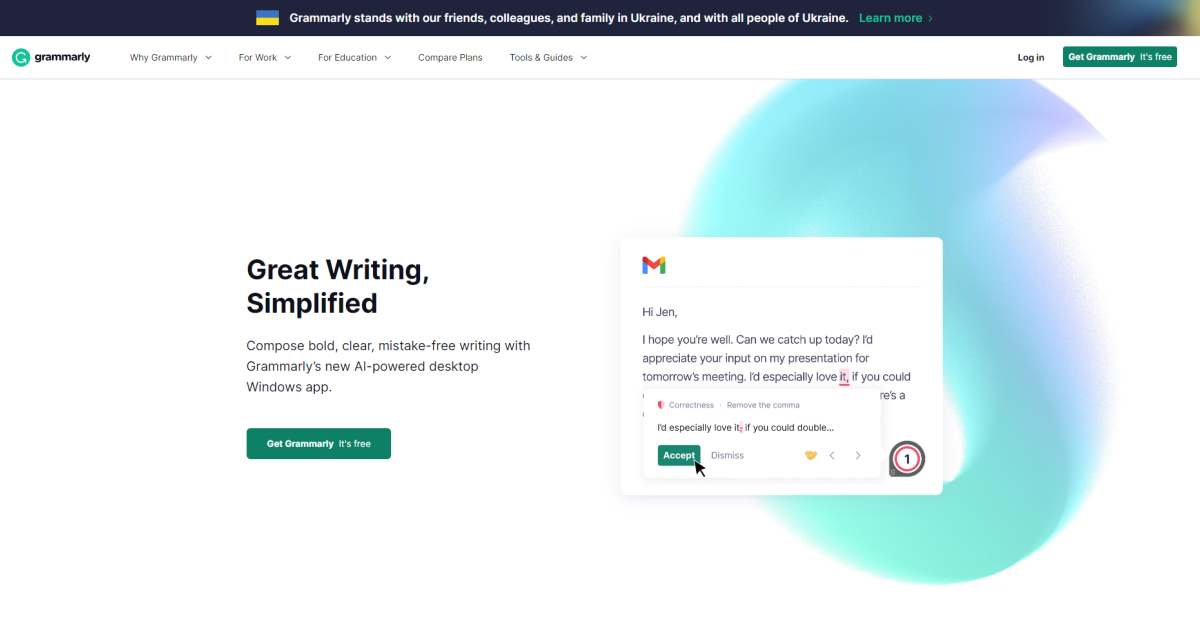
What is Grammarly AI?
Key features
Real-time grammar and spelling checks as you write
Tone detection to assess how your writing might come across to readers
Plagiarism scanning to compare your text against online sources
Style suggestions for clarity, conciseness, and sentence structure
Works across browsers, email clients, and native applications
Customisable writing goals based on audience and formality level
Pros & cons
Advantages
- Free version is genuinely useful for basic writing tasks
- Works wherever you write, including Gmail, Google Docs, and most web forms
- Tone and plagiarism features help you understand how your writing lands
- Simple interface that doesn't distract from your actual writing
Limitations
- Suggestions can be overly cautious or miss context-specific usage
- Plagiarism checker in free tier may have limitations compared to dedicated tools
- Relies on internet connection to function fully
Use cases
Checking emails before sending to clients or colleagues
Writing essays or reports at school or university
Proofreading blog posts, website copy, or social media content
Non-native English speakers seeking feedback on clarity and grammar
Professional writers refining tone and style in longer documents
Ready to try Grammarly AI?
Pricing
Premium
Subscription required
Tone detection, plagiarism checking, advanced style suggestions, brand voice customisation, full writing reports
Get started with Grammarly AI
Click through to Grammarly AI and start using it now.
- Always free
- No credit card