
hora Calendar
A native macOS Google Calendar client built in SwiftUI for a fast, keyboard-driven calendar.
- Paid
- macOS
- Design
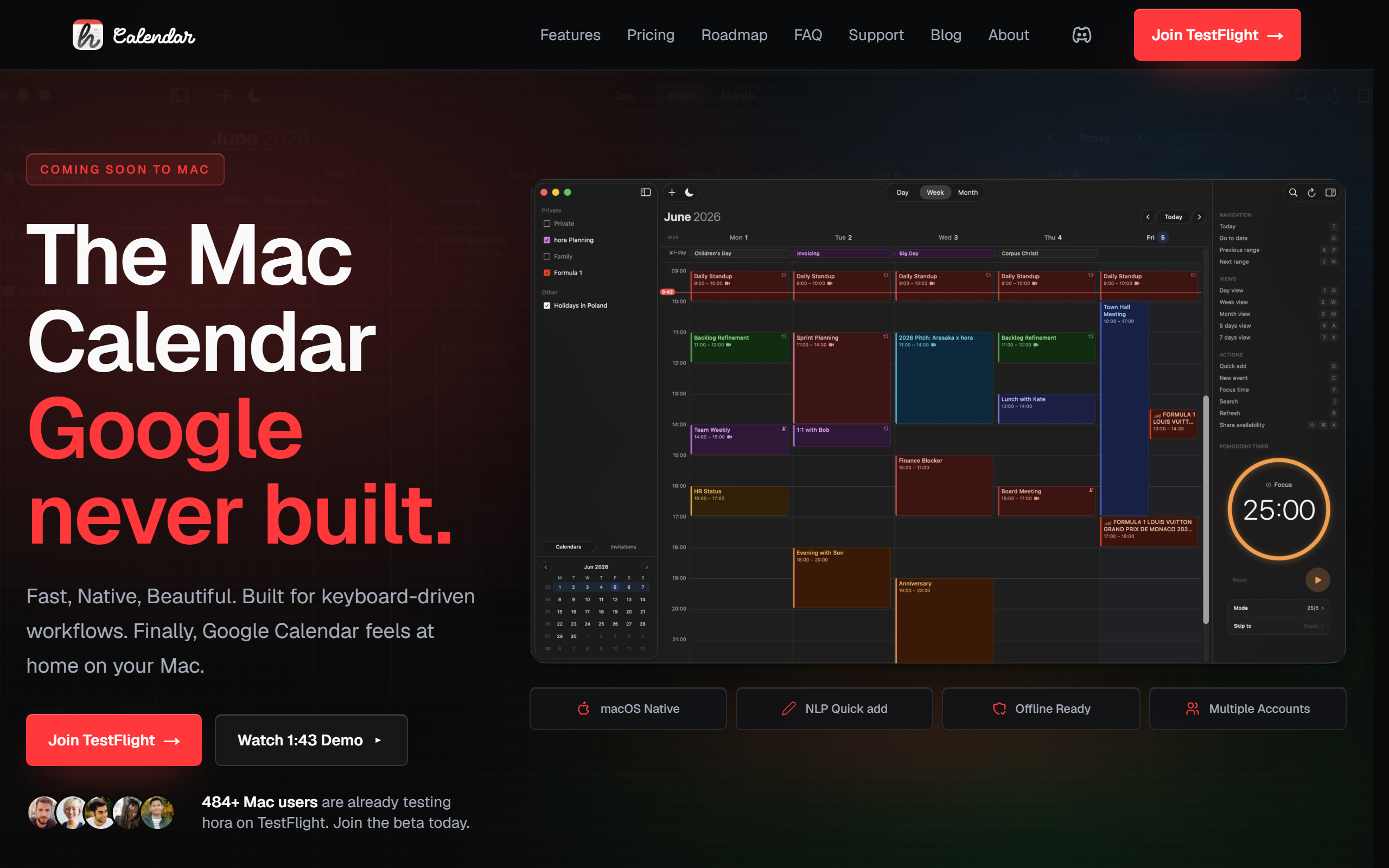
What is hora Calendar?
Key features
Native SwiftUI app
Built with Swift 6 and SwiftUI for a native macOS experience with fast load times, rather than Electron or web views.
Direct Google Calendar API
Connects straight to Google Calendar with incremental sync using Google's sync tokens, without third-party servers or CalDAV.
Multiple calendar views
Day, week (5-day or 7-day), month and a mini calendar for quick date navigation.
Event management
Create events by clicking slots or pressing Command-N, plus drag-and-drop, resize, recurring events and invitation handling.
Multi-account support
Manage several Google accounts in one place with calendar colour-coding that matches Google Calendar settings.
Menu bar widget and shortcuts
An always-visible menu bar widget for upcoming events alongside keyboard shortcuts and a Go to Date jump feature.
Conferencing and productivity tools
One-click Google Meet links, FreeBusy availability sharing and a Pomodoro timer in day view.
Pros & cons
Advantages
- Runs as a native macOS app rather than an Electron wrapper or browser tab, which keeps load times fast.
- Connects directly to the Google Calendar API, so changes sync in real time without a third-party server in the middle.
- The keyboard-driven workflow and menu bar widget suit users who want to manage their day without opening a browser.
- A one-time purchase option is available, which avoids an ongoing subscription, and Family Sharing is included on both plans.
- Supports nine interface languages and both light and dark mode.
Limitations
- The app is macOS only, with no Windows, iOS, Android or web version available.
- It is currently in beta and distributed through TestFlight, with the App Store release listed as coming soon.
- The product is built specifically around Google Calendar, so users on other calendar providers are not served.
- There is no free tier beyond the time-limited TestFlight beta; ongoing use requires a paid plan.
Use cases
Mac users who live in Google Calendar and want a native desktop client instead of a browser tab.
Professionals who prefer keyboard shortcuts and a menu bar widget to scan and create events quickly.
People juggling several Google accounts who need them combined in one colour-coded calendar.
Remote workers who frequently join Google Meet, Zoom or Microsoft Teams calls directly from calendar events.
Privacy-conscious users who want a calendar app with no analytics or third-party data sharing.
Ready to try hora Calendar?
Pricing
One-time purchase
49.90 one-time
Lifetime access to hora Calendar at the launch price, with Family Sharing included.
Annual subscription
29.99 per year
Full access to all features on a yearly plan, with Family Sharing included.
TestFlight beta
Free
Free beta access to the Mac app via TestFlight while it is in development.
Get started with hora Calendar
Click through to hora Calendar and start using it now.