Imglarger
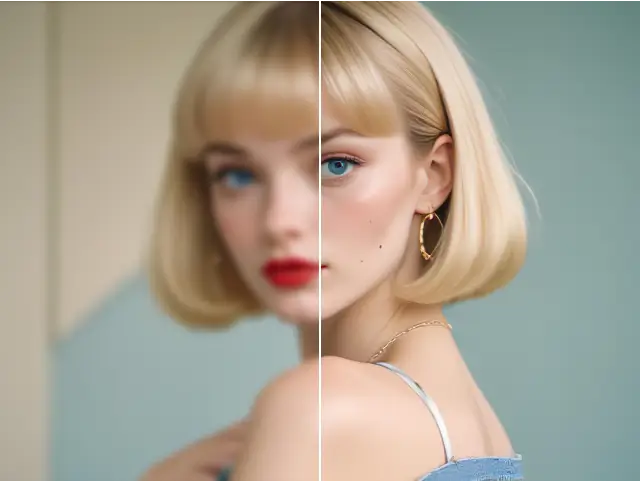
ImglargerEnlarge small images with AI Image Enlarger - upscale and enhance your photos without losing quality.
- Freemium
- Web
- Image GenerationDeveloper Tools
- Free plan available
- No credit card
What is Imglarger?
Key features
AI-powered upscaling
uses machine learning to enlarge images whilst maintaining visual quality
Web-based access
no software download or installation required
Multiple format support
processes common image file types
User-friendly interface
straightforward controls suitable for any skill level
Quality preservation
attempts to retain detail and reduce artefacts during enlargement
Pros & cons
Advantages
- Produces better results than traditional scaling for photographs
- No learning curve; simple interface anyone can use
- Free tier available for testing before committing to paid plan
- Accessible from any device with a web browser
- Quick processing for most image sizes
Limitations
- Results vary depending on the original image quality and content type
- Free tier includes usage restrictions or quality limitations
- Cannot genuinely create detail that was not present in the original
- Processing time increases with image size and enlargement factor
- May produce visual artefacts with certain types of images
Use cases
Restoring old or small photographs for printing at larger sizes
Enlarging logos and graphics for use in bigger designs
Preparing product images for e-commerce from smaller source files
Improving resolution of screenshots or screen captures
Upscaling artwork or portfolio pieces for display
Ready to try Imglarger?
Pricing
Get started with Imglarger
Click through to Imglarger and start using it now.
- Free plan available
- No credit card