Launch Shots
Create stunning App/Play Store screenshots in minutes
- Free plan available
- No credit card
What is Launch Shots?
Key features
Pre-built screenshot templates
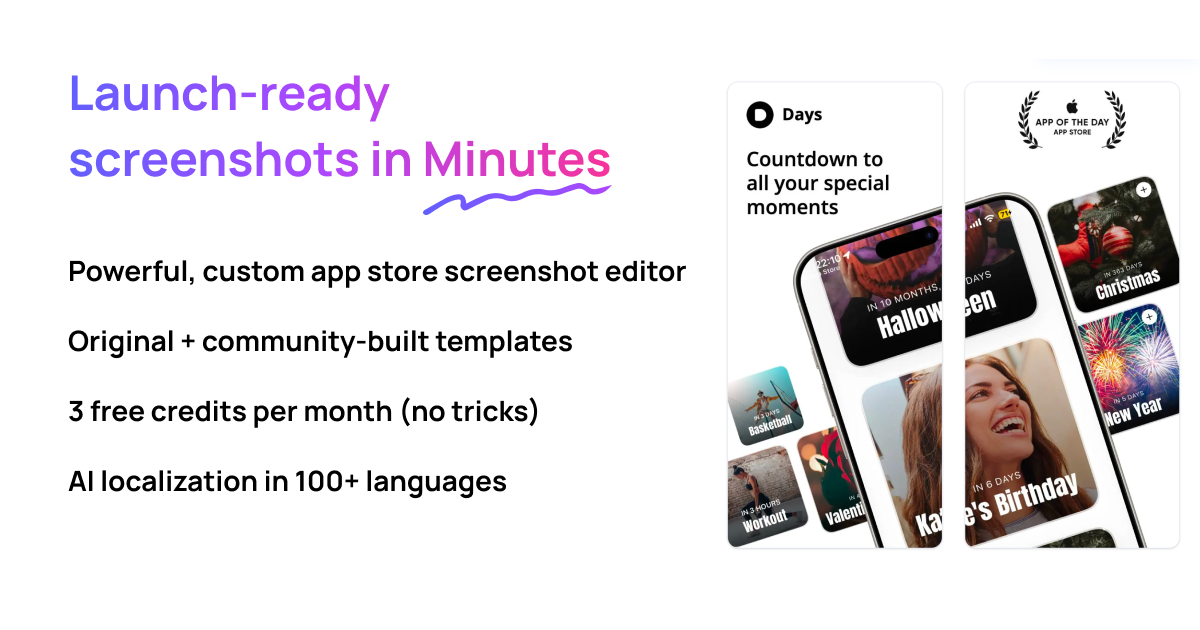
Ready-made layouts for various screen sizes and platforms, saving design time
Drag-and-drop editor
Simple interface for adding text, images, and design elements without technical skill
Device frames
Built-in mockups that show screenshots on actual device outlines for authentic presentation
Text and typography tools
Customisable fonts, sizes, and colours to match app branding
Image upload and positioning
Ability to add app screenshots and supporting graphics directly to layouts
Multi-language support
Tools to create screenshots in different languages for international app stores
Pros & cons
Advantages
- Much faster than designing screenshots from scratch in Photoshop or similar tools
- Requires no graphic design experience; templates handle most layout decisions
- Produces screenshots in correct dimensions and formats for both Apple and Google stores
- Free tier lets you test the tool and create several screenshots without payment
Limitations
- Template variety may be limited compared to building custom designs, reducing uniqueness across similar apps
- Customisation depth may not satisfy designers wanting precise control over every design element
Use cases
Indie app developers preparing their first App Store or Play Store launch
App teams updating store listings with new feature screenshots during regular releases
Marketing professionals creating promotional materials for app campaigns
Freelancers producing screenshot assets for multiple client apps efficiently
Developers localising apps into new markets and needing translated screenshots quickly
Ready to try Launch Shots?
Pricing
Get started with Launch Shots
Click through to Launch Shots and start using it now.
- Free plan available
- No credit card