
Magic Eraser
Remove unwanted things from images in seconds.
- Free plan available
- No credit card
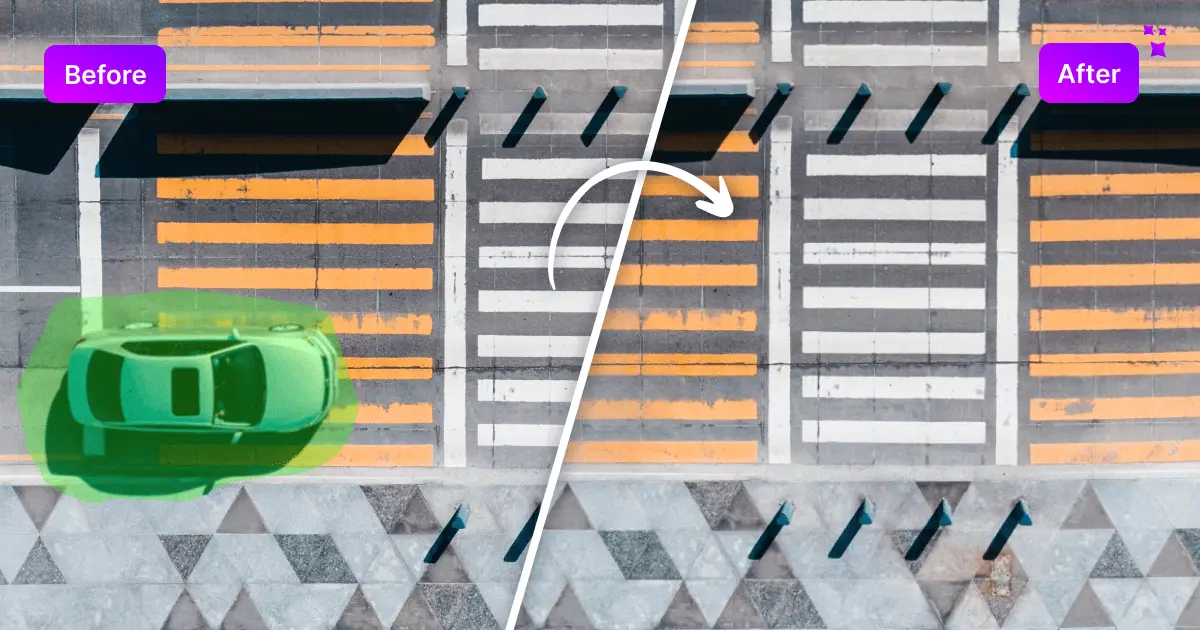
What is Magic Eraser?
Key features
AI-powered object removal
Automatically erases selected objects and intelligently reconstructs the background
Brush selection tool
Simple interface for marking areas to be removed without precise selection tools
Multiple removal types
Handles objects, people, text, blemishes, watermarks, and visual patterns
No signup required
Access the tool immediately through the web browser without account creation
Unlimited free usage
Offers generous free tier without credits, usage limits, or watermarks
Batch processing capability
Edit multiple images efficiently in one session
Pros & cons
Advantages
- Completely free with no signup or account requirements, lowering barriers to entry
- Fast processing speeds deliver results in seconds rather than minutes
- Intuitive brush-based interface requires no prior photo editing experience
- Produces high-quality, natural-looking results with intelligent background reconstruction
- Accessible directly through web browser, compatible with any device with internet access
Limitations
- Web-based tool dependent on internet connection; cannot work offline
- May struggle with complex backgrounds or require multiple attempts for complex removals
- Limited advanced customization options compared to professional desktop editing software
Use cases
Removing unwanted objects from vacation or family photos before sharing
Cleaning up product images by removing watermarks or backgrounds for e-commerce
Eliminating blemishes, acne, or minor skin imperfections in portrait photos
Removing people or objects from background of photos for privacy or aesthetic reasons
Erasing text, logos, or watermarks from images for presentations or documents
Ready to try Magic Eraser?
Pricing
Free
Free
Unlimited image edits, no signup required, no watermarks, full access to object and text removal features
Get started with Magic Eraser
Click through to Magic Eraser and start using it now.
- Free plan available
- No credit card