
Magic Eraser
Remove unwanted things from images in seconds.
- Freemium
- Web
- Customer SupportImage Generation
- Free plan available
- No credit card
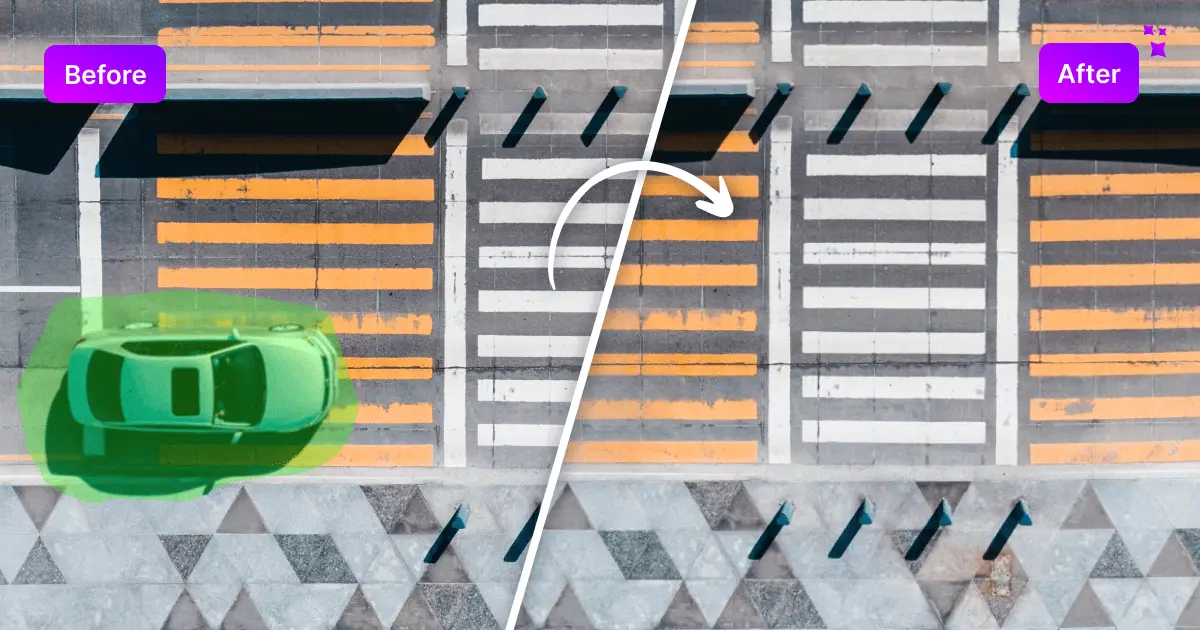
What is Magic Eraser?
Key features
Brush selection tool
Paint over unwanted elements to mark them for removal
AI-powered inpainting
Automatically fills removed areas with contextually appropriate background
No signup required
Free tier works without creating an account
Multiple object types
Handles people, objects, text, blemishes, and patterns
Fast processing
Most removals complete within seconds
Unlimited free edits
No limits on how many images you can process in the free tier
Pros & cons
Advantages
- Quick and straightforward; most users can accomplish a removal in under a minute
- Free tier requires no registration, making it low-commitment to try
- Works well for straightforward removals in uncomplicated backgrounds
- No software installation needed; runs in any web browser
Limitations
- Results can be inconsistent with complex backgrounds or large removal areas
- Limited control over the algorithm's output; you can't fine-tune the fill-in process manually
- No layers, undo history, or other advanced editing features for iterative work
Use cases
Removing photobombs or unwanted people from social media photos
Deleting watermarks or text overlays from images
Cleaning up property photos for real estate listings
Removing temporary objects or clutter from background scenes
Fixing small blemishes or distracting elements in portraits
Ready to try Magic Eraser?
Pricing
Get started with Magic Eraser
Click through to Magic Eraser and start using it now.
- Free plan available
- No credit card