
Magic Eraser
Remove unwanted things from images in seconds.
- Freemium
- Web
- Customer SupportImage Generation
- Free plan available
- No credit card
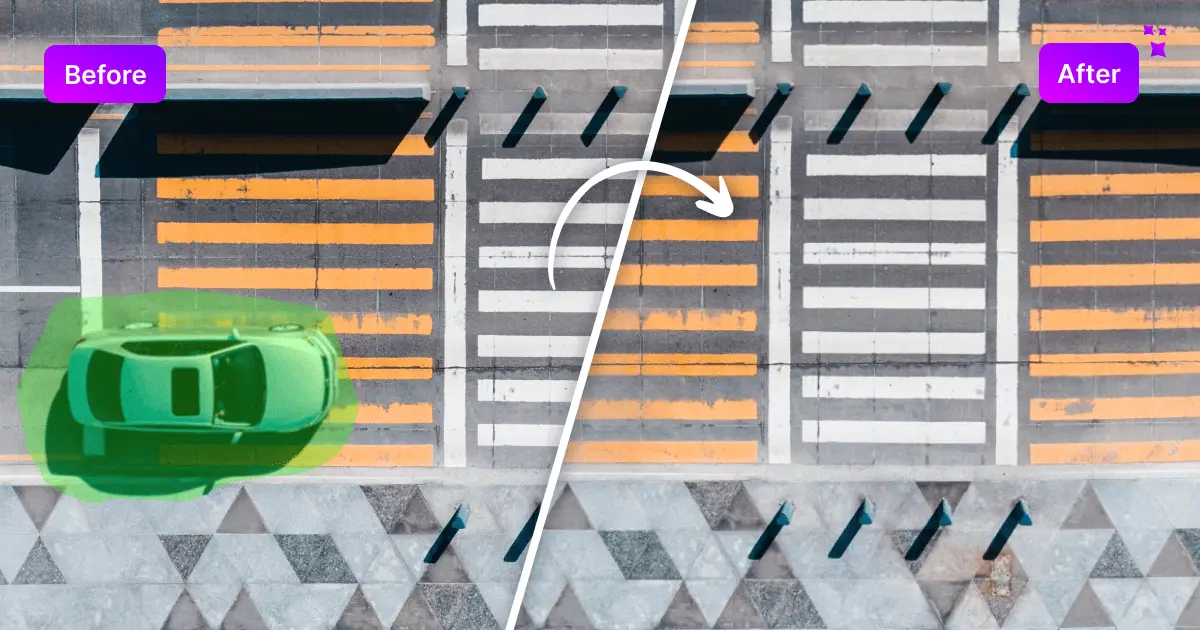
What is Magic Eraser?
Key features
AI-powered object removal
Brush over unwanted elements and let the algorithm intelligently fill the gap
No account required
Start editing immediately without creating a login
Unlimited free edits
Use the tool as much as you need on the free tier
Multiple removal types
Handles objects, people, text, blemishes, and patterns
Quick processing
Most edits complete in seconds
Pros & cons
Advantages
- Genuinely free with no artificial limits on usage
- Extremely fast to use, even for beginners
- No installation or complex software needed; works in any web browser
- Produces natural-looking results for most common removal tasks
Limitations
- Results on complex backgrounds or complex patterns may be less convincing than desktop editing software
- Limited control over the AI's output compared to professional tools like Photoshop
- Depends on internet connection; cannot work offline
Use cases
Removing photobombers or unwanted people from holiday photos
Cleaning up social media images by removing logos or watermarks
Fixing product photos by removing reflections or background distractions
Erasing text or signage from photographs
Quick touch-ups for dating profile or professional headshot photos
Ready to try Magic Eraser?
Pricing
Get started with Magic Eraser
Click through to Magic Eraser and start using it now.
- Free plan available
- No credit card