
Mapwith.ai
Create detailed maps, edit and customize with RapiD, access accurate road and building mapping from OpenStreetMap.
- Freemium
- Web
- DesignDeveloper Tools
- Free plan available
- No credit card
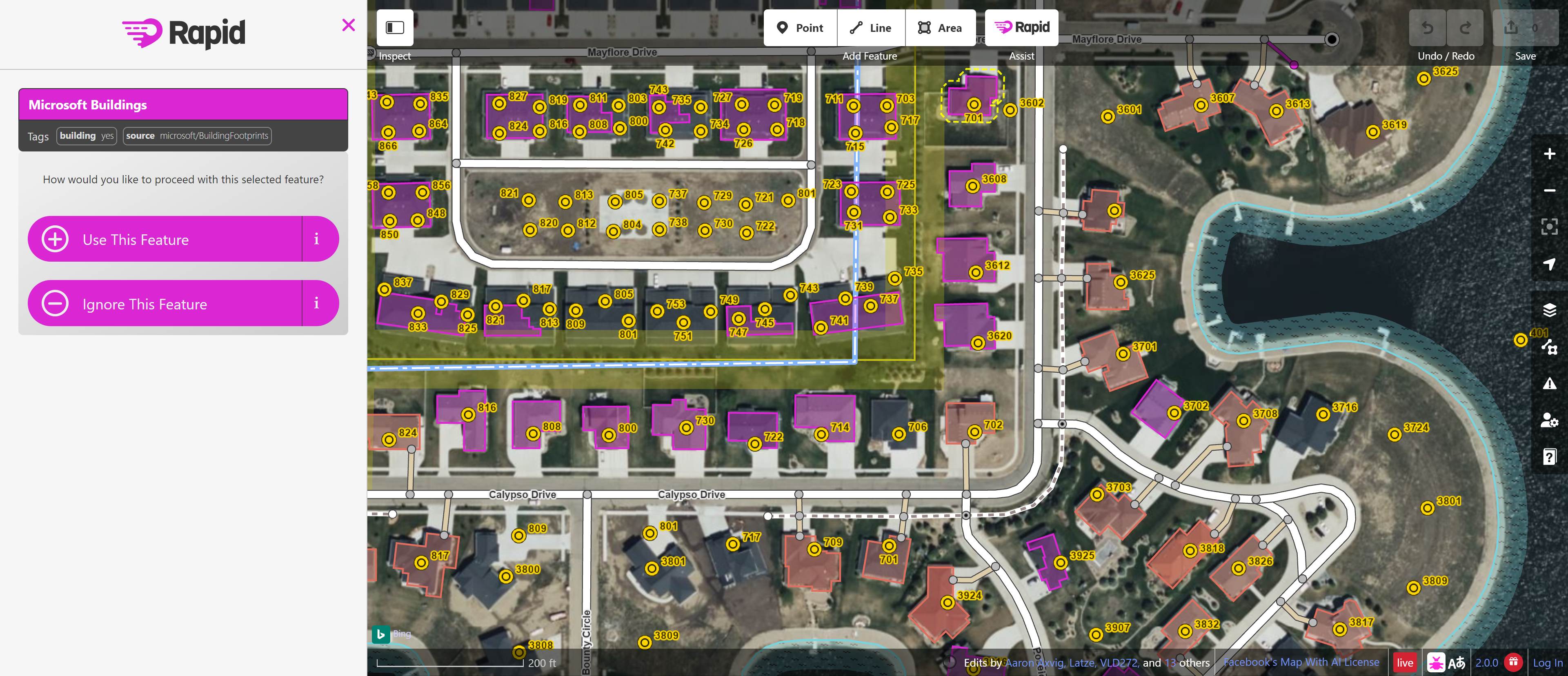
What is Mapwith.ai?
Key features
RapiD editor
AI-assisted map editing that suggests building and road placements to speed up data entry
OpenStreetMap integration
Direct access to the open-source map database and ability to contribute changes
Building and road mapping
Focused tools for mapping structures and transportation networks
Web-based editing
No installation needed; edit maps directly from your browser
Customisation options
Adjust map appearance and layers to suit your project needs
Real-time collaboration
Work with other mappers on shared geographic areas
Pros & cons
Advantages
- Completely free to use with no paywalls for core mapping features
- AI suggestions make mapping faster and reduce manual data entry work
- Contributes to OpenStreetMap, a shared global resource that benefits everyone
- No software installation required; accessible from any device with a web browser
Limitations
- Learning curve for users unfamiliar with OpenStreetMap tagging systems and mapping conventions
- Dependent on the accuracy of underlying satellite imagery and existing OpenStreetMap data
- Limited to mapping features supported by OpenStreetMap rather than custom data types
Use cases
Volunteers improving map coverage in under-mapped regions
Researchers collecting geographic data on buildings and infrastructure
Community organisations updating local street and landmark information
Humanitarian mapping projects responding to disasters or emergencies
Students learning GIS and geographic data collection methods
Ready to try Mapwith.ai?
Pricing
Free
Free
Full access to mapping and editing tools, OpenStreetMap integration, RapiD AI suggestions
Get started with Mapwith.ai
Click through to Mapwith.ai and start using it now.
- Free plan available
- No credit card