
Marked 3
Preview and Publish your Markdown
- Freemium
- macOS, Web
- Customer Support
- Free plan available
- No credit card
What is Marked 3?
Key features
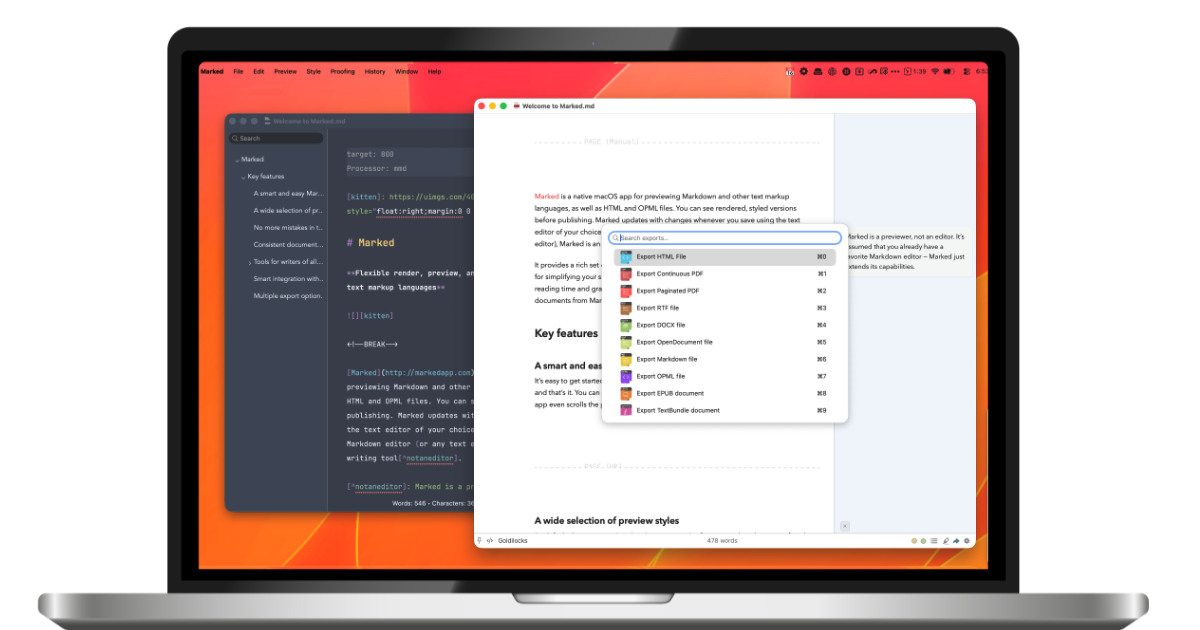
Live preview panel showing real-time markdown rendering as you type
Multi-format export to HTML, PDF, DOCX, and other formats
Support for markdown extensions including tables, footnotes, and task lists
Customisable themes and CSS styling for preview appearance
Syntax highlighting for code blocks with multiple language support
Document statistics and reading time estimation
Batch processing for converting multiple markdown files
Integration with external editors and writing tools
Pros & cons
Advantages
- Instant live preview reduces back-and-forth between editor and renderer
- One-click export to multiple professional formats without needing separate tools
- Handles complex markdown including tables, footnotes, and callouts well
- Lightweight and focused interface without unnecessary features
- Good value for writers who regularly publish in multiple formats
Limitations
- Primarily available on macOS, with limited support on other operating systems
- No built-in collaboration or real-time sharing features
- Requires purchase for full features; free tier has restrictions
- Steeper learning curve for advanced features like custom CSS and themes
- Cannot edit markdown directly in the preview pane
Use cases
Writing and publishing blog posts in markdown before converting to web formats
Converting technical documentation and readme files to PDF for distribution
Preparing markdown notes and articles for publication across multiple platforms
Creating consistent, professional documents from markdown source files
Batch converting large collections of markdown files to standardised formats
Ready to try Marked 3?
Pricing
Get started with Marked 3
Click through to Marked 3 and start using it now.
- Free plan available
- No credit card