
MD Editor
MD Editor is an AI-powered Markdown editor tailored for tech writers, offering a streamlined writing experience with features like intelligent suggestions, formatting assistance, and code highlighting
- Freemium
- Web
- WritingArt & IllustrationImage Generation
- Free plan available
- No credit card
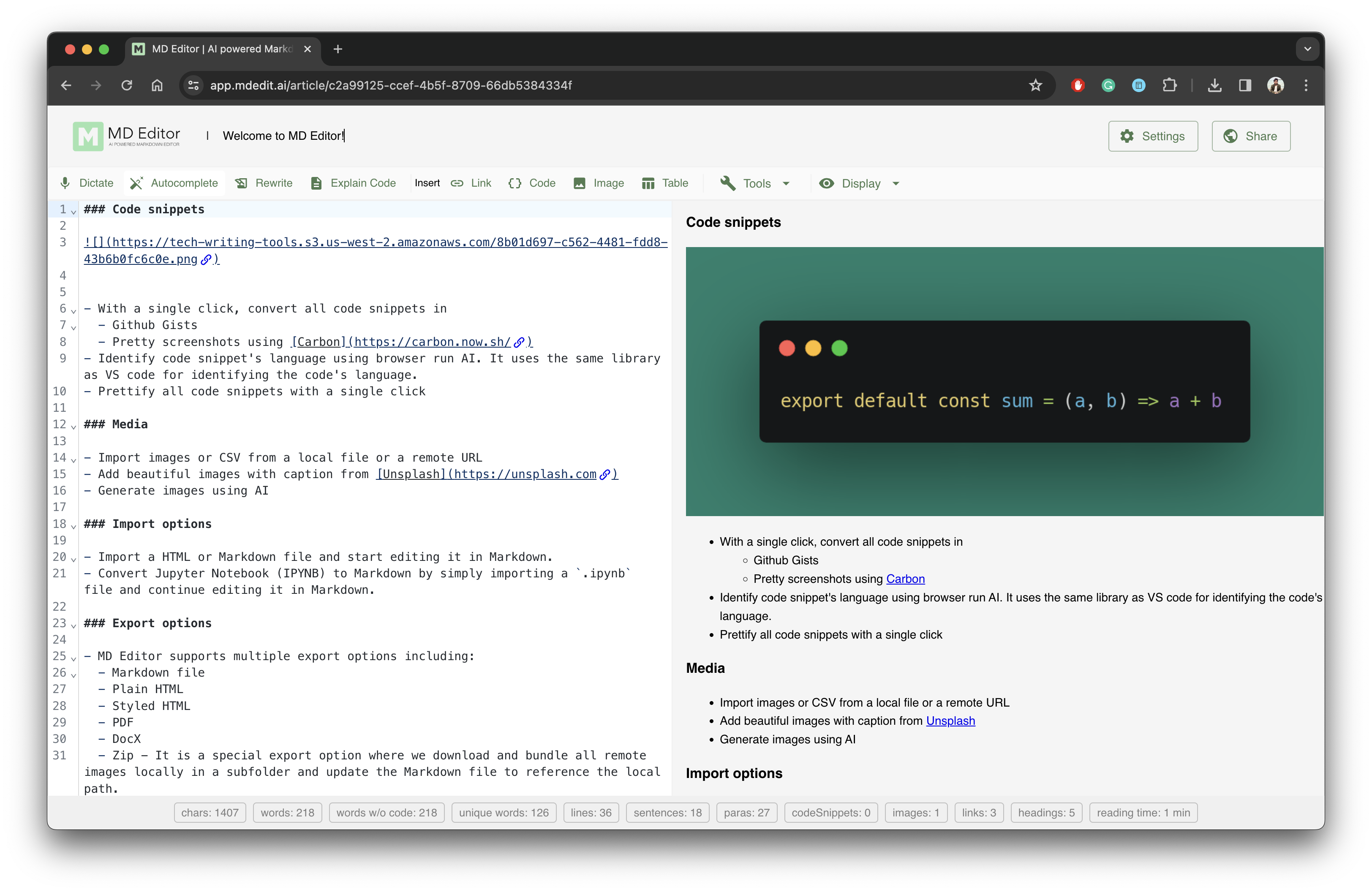
What is MD Editor?
Key features
AI-powered writing suggestions
contextual recommendations for improving clarity and structure
Code highlighting and syntax support
proper formatting for code blocks across multiple languages
Markdown editor with live preview
write in Markdown with real-time visual feedback
Jupyter Notebook support
integrate and edit computational notebooks alongside documentation
Multi-device sync
access your work across devices with automatic synchronisation
Multiple export formats
save and publish to various formats beyond standard Markdown
Pros & cons
Advantages
- Purpose-built for technical writing, so it handles code and technical content naturally
- Free tier available, making it accessible to start without payment
- Cross-device sync means you can work on multiple machines without manual uploads
- AI assistance integrated into the writing process rather than bolted on afterwards
Limitations
- Being newer than established editors, it may have fewer integrations with other tools
- The AI suggestions quality depends on how well it understands your specific domain or writing style
- Limited information available about what features are restricted to paid tiers
Use cases
Writing technical documentation and API guides with consistent code examples
Managing a tech blog with multiple drafts, ideas, and published articles
Creating data science content that combines narrative explanation with executable notebooks
Collaborating on internal knowledge bases and technical guides within teams
Publishing to platforms that accept Markdown or multiple export formats
Ready to try MD Editor?
Pricing
Free
Free
Core Markdown editing, basic AI suggestions, code highlighting, device sync, standard exports
Pro
Pricing details not publicly specified
Advanced AI features, priority support, additional export formats, and enhanced customisation options (specific features require verification on website)
Get started with MD Editor
Click through to MD Editor and start using it now.
- Free plan available
- No credit card