
Mljar Studio
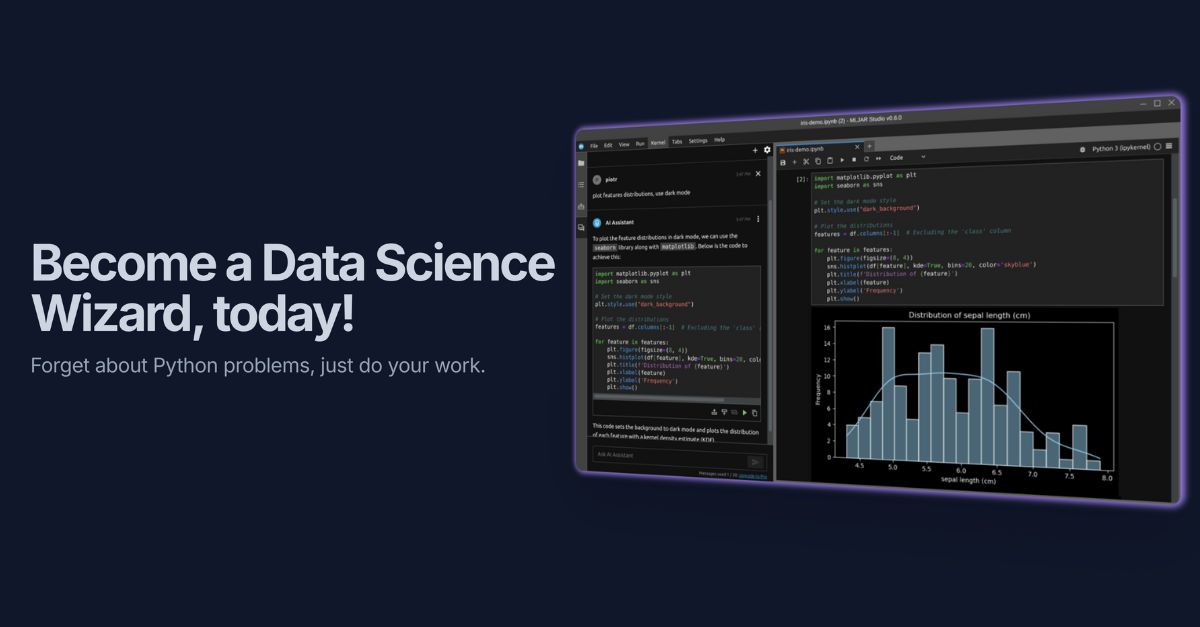
local AI data analyst that saves analysis as notebooks
- Freemium
- Web, macOS, Windows
- Data & AnalyticsDesignCode
- Free plan available
- No credit card
What is Mljar Studio?
Key features
Local execution
runs on your machine, keeping data private by default
AI-assisted analysis
query your data using natural language with optional AI provider integration
Machine learning experiments
build and test models without leaving the interface
Notebook export
save your analysis workflows as reproducible notebooks
Freemium access
use basic features without payment, with optional paid AI features
Multi-dataset support
work with multiple data sources in a single project
Pros & cons
Advantages
- Data stays on your computer unless you choose to use AI features, addressing privacy concerns
- Notebooks provide a clear record of your analysis steps and findings
- Combines ease of use with capability for serious machine learning work
- No steep learning curve for analysts familiar with data tools
Limitations
- Local-only operation means you cannot easily collaborate with team members in real time
- Dependent on your machine's computing power for larger datasets or complex models
Use cases
Exploratory data analysis on sensitive business data that cannot leave your organisation
Building and testing machine learning models before deployment
Documenting data analysis workflows for compliance or reporting purposes
Quick data investigations without setting up separate tools or platforms
Ready to try Mljar Studio?
Pricing
Paid (AI Features)
Variable
Enhanced AI-assisted analysis, integration with external AI providers, advanced features
Get started with Mljar Studio
Click through to Mljar Studio and start using it now.
- Free plan available
- No credit card