MokSa.AI
Enhances retail operations with AI-driven video intelligence.
- Always free
- No credit card
What is MokSa.AI?
Key features
Video analysis
Processes in-store camera feeds to extract practical advice about customer and staff behaviour
Customer behaviour tracking
Monitors foot traffic patterns, dwell times, and customer interactions throughout the store
Loss prevention
Detects unusual activity or potential theft situations in real time
Staff performance monitoring
Tracks employee activity and adherence to procedures
Heat mapping
Visualises which areas of the store receive the most customer attention
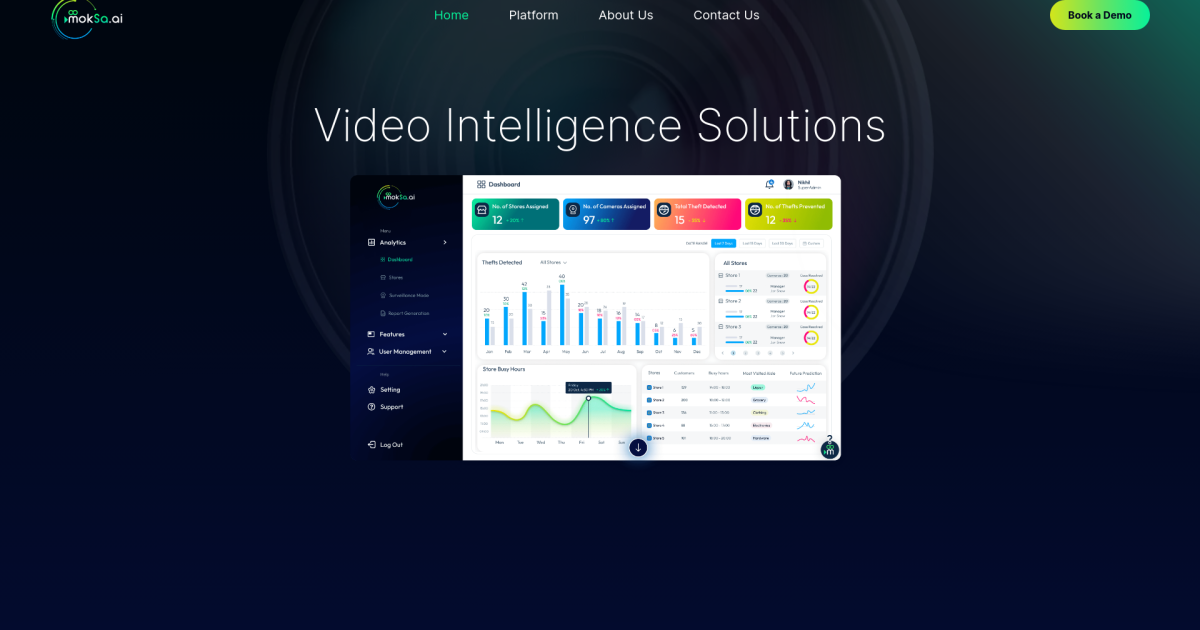
Reporting dashboard
Presents findings in an easy-to-understand format for decision-making
Pros & cons
Advantages
- Free to use, making it accessible for smaller retailers or those testing video analytics
- Automates the time-consuming task of manually reviewing security footage
- Provides concrete data to support operational improvements and staff training
- Can help reduce shrinkage and identify security gaps
Limitations
- Privacy and consent considerations when monitoring staff and customers; requires proper signage and compliance with local regulations
- Effectiveness depends on camera quality, positioning, and adequate lighting in-store
- May require integration with existing security and POS systems
Use cases
Identifying high-traffic areas in a store to optimise product placement and staffing levels
Monitoring checkout queues to manage customer wait times and staff scheduling
Investigating suspected theft or loss incidents by reviewing analysed footage
Evaluating how store redesigns affect customer movement and sales performance
Training staff by reviewing footage of successful customer service interactions
Ready to try MokSa.AI?
Pricing
Get started with MokSa.AI
Click through to MokSa.AI and start using it now.
- Always free
- No credit card