
Palette
AI photo colourisation that turns black and white images into realistic colour in seconds.
- Freemium
- Web, API
- Color Palette GeneratorsAPI ToolsImage Generation
- Free plan available
- No credit card
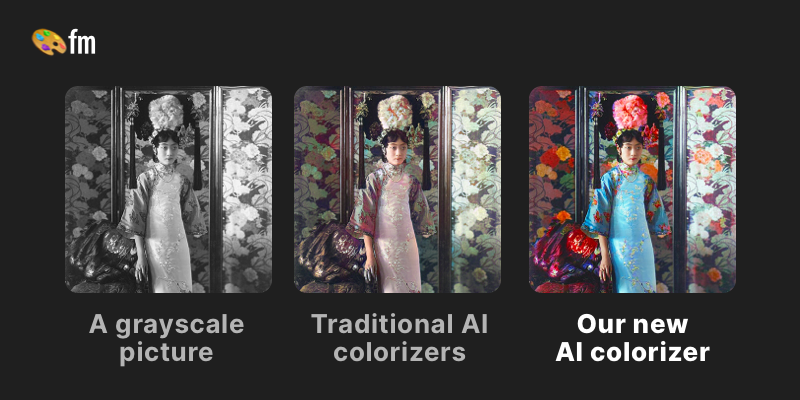
What is Palette?
Key features
Colour filters
More than 20 preset filters such as Classic Palette and Bright Essence to set the overall colour style.
Keyword guidance
Type descriptive words to steer the colours applied to specific parts of an image.
High-resolution output
Exports up to 5000x5000 pixels on paid plans for print-quality results.
Batch upload
Drop multiple images at once to colourise several photos in one go.
Watermark-free downloads
Paid credits remove the watermark and resolution limits applied to free previews.
Faster processing
Premium tiers process images up to ten times faster than the free option.
API and video
A documented API and video colourisation are available for developers and larger workflows.
Pros & cons
Advantages
- The free tier lets you test the tool with one HD credit before committing to a paid plan.
- Results are produced in seconds, making it practical for batches of old photographs.
- Keyword guidance gives manual control over colours rather than relying solely on automatic output.
- High-resolution exports up to 5000x5000 pixels suit printing and archival restoration.
- A large user base of over six million people and a high average rating indicate a mature, reliable service.
Limitations
- The free version applies a watermark and caps resolution at 500x500 pixels, so usable output requires payment.
- Pricing is based on credits rather than unlimited use, which can add up for high-volume work.
- It is focused solely on colourisation and does not handle wider photo restoration tasks such as scratch or damage repair.
- Full pricing and account features are only visible after signing up or logging in.
Use cases
Family historians colourising old black and white family photographs for albums and gifts.
Genealogists and archivists adding colour to historical and archival images for context.
Photo restoration services offering colourisation as part of their client work.
Content creators and educators bringing historical images to life for videos and presentations.
Designers and developers integrating colourisation into their own workflows via the API.
Hobbyists experimenting with colour styles on scanned negatives and prints.
Ready to try Palette?
Pricing
Subscription
72 per year
480 annual credits, watermark-free high-resolution downloads, batch upload and faster processing.
One-time pack
49 one-time
75 credits valid for two years, watermark-free high-resolution output without a recurring subscription.
Get started with Palette
Click through to Palette and start using it now.
- Free plan available
- No credit card