PDF Pals
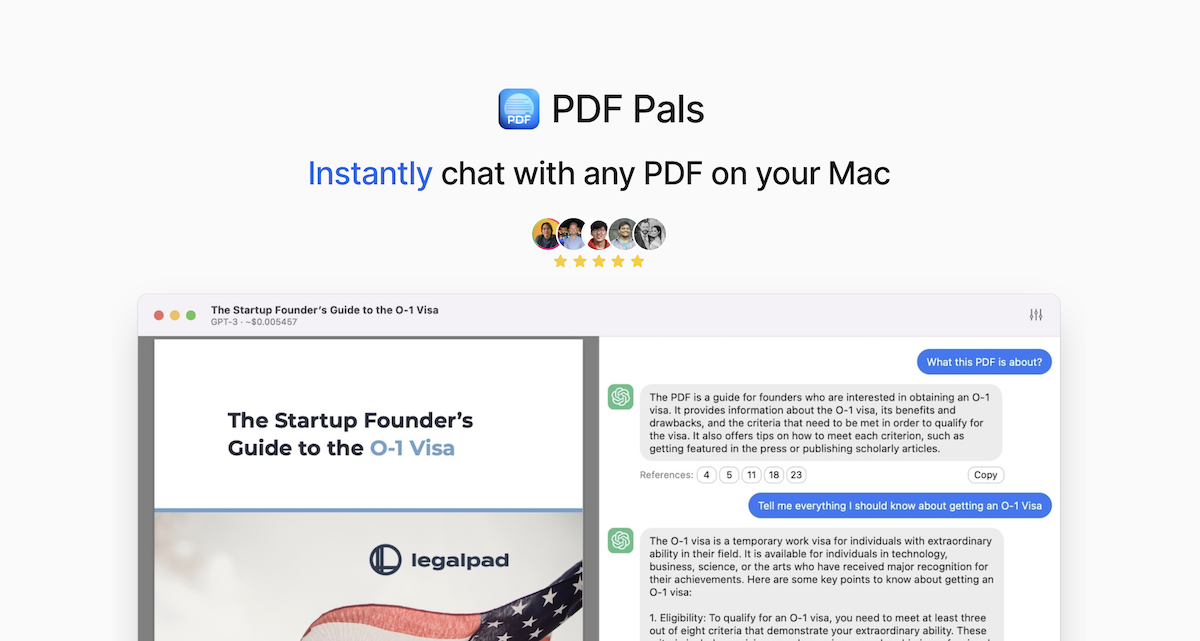
PDF Pals is a native macOS application designed to enhance the way you interact with PDFs. It uses powerful Optical Character Recognition (OCR) to process scanned documents and supports various API pr
- Freemium
- macOS
- Customer SupportDesignAI Tools for OCR
- Free plan available
- No credit card
What is PDF Pals?
Key features
OCR processing
converts scanned documents into machine-readable text so you can search and analyse them
Chat interface
ask questions about your PDFs and receive answers based on the document content
Information extraction
pull out key data points and summaries from documents automatically
Multiple AI provider support
choose between OpenAI, Azure OpenAI Service, and OpenRouter
Local processing
documents remain on your device rather than being sent to cloud servers
Native macOS application
optimised performance for Apple computers
Pros & cons
Advantages
- Privacy-focused approach keeps your documents local on your device
- Works with scanned PDFs thanks to built-in OCR technology
- Flexible AI provider selection lets you choose your preferred service
- Native macOS app provides better performance than web-based alternatives
Limitations
- Only available on macOS, not available for Windows or Linux
- Requires an API key from your chosen AI provider, which means ongoing costs beyond the free tier
Use cases
Extracting key information from scanned contracts or legal documents
Summarising long PDFs like research papers or reports
Searching through archives of scanned documents without manually reading each one
Processing invoices and receipts to pull out relevant data
Asking questions about PDF content without relying on cloud-based document services
Ready to try PDF Pals?
Pricing
Premium
Pricing not publicly specified
Full access to all features; pricing depends on your chosen AI provider
Get started with PDF Pals
Click through to PDF Pals and start using it now.
- Free plan available
- No credit card