PDF Pro — Privacy-First PDF Workspace
Private PDF tools that run entirely in your browser.
- Freemium
- Web
- Developer ToolsCodeBusiness
- Free plan available
- No credit card
What is PDF Pro — Privacy-First PDF Workspace?
Key features
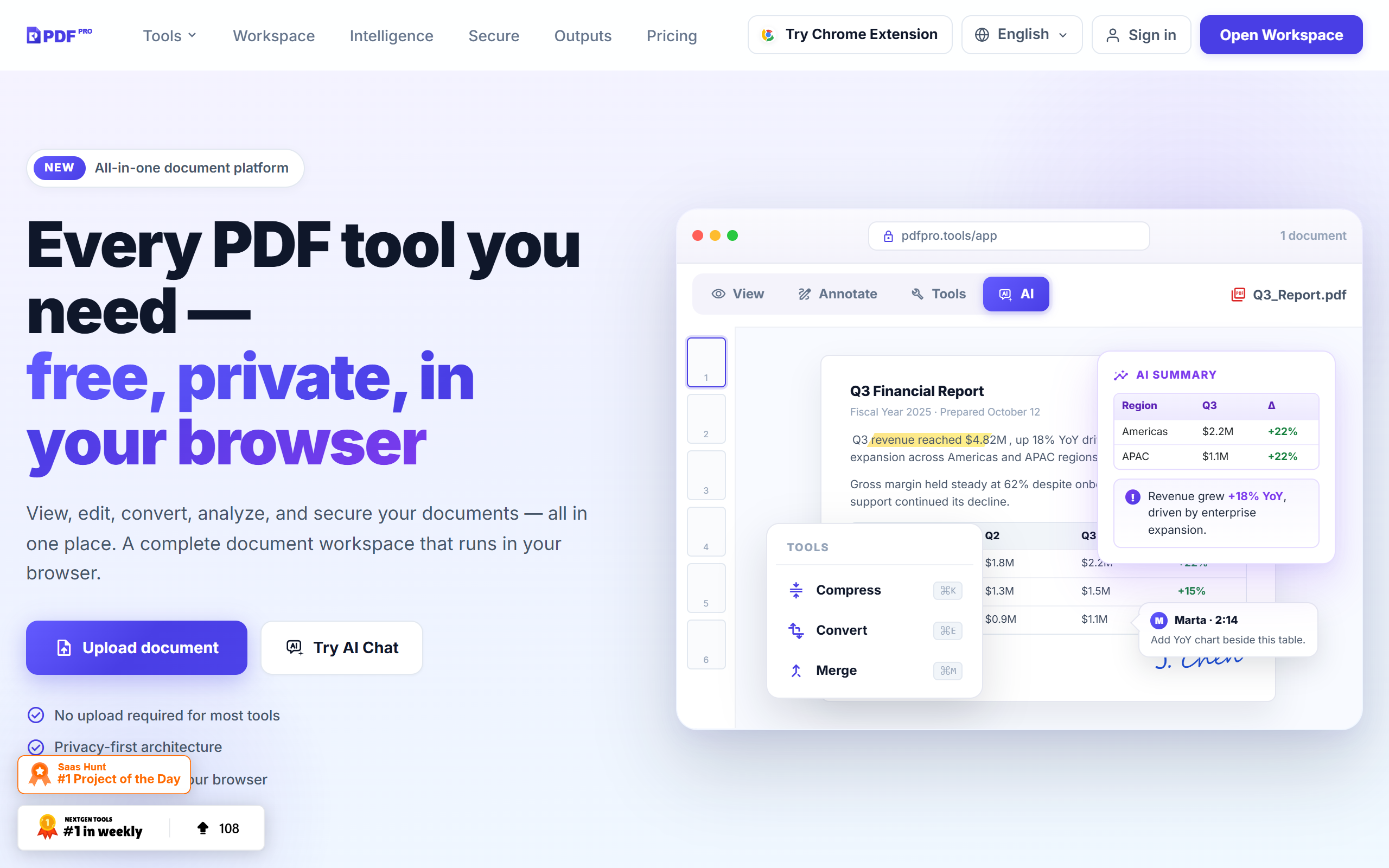
Merge PDFs
Combine multiple PDF files into a single document
Split PDFs
Extract specific pages or divide documents into separate files
Compress PDFs
Reduce file size whilst maintaining usable quality
Format conversion
Convert PDFs to and from other file formats
Local processing
All operations happen in your browser without server uploads
No sign-up required
Access tools immediately without creating an account
Pros & cons
Advantages
- Privacy-focused approach; documents stay on your device
- No registration or login needed to start using
- Works offline after the initial page load
- Freemium model lets you try core features at no cost
Limitations
- Browser-based processing may be slower than desktop software for very large files
- Limited to what a browser environment can handle; advanced features may be unavailable
- Dependent on browser capabilities and available device memory
Use cases
Combining multiple contracts or agreements before sending to clients
Reducing PDF file sizes before emailing or uploading
Extracting specific pages from longer reports or proposals
Converting PDFs to other formats for further editing
Handling confidential documents without involving cloud storage
Ready to try PDF Pro — Privacy-First PDF Workspace?
Pricing
Get started with PDF Pro — Privacy-First PDF Workspace
Click through to PDF Pro — Privacy-First PDF Workspace and start using it now.
- Free plan available
- No credit card