
Pixelcut AI
Transform photos effortlessly with AI: edit, enhance, and remove backgrounds.
- Free plan available
- No credit card
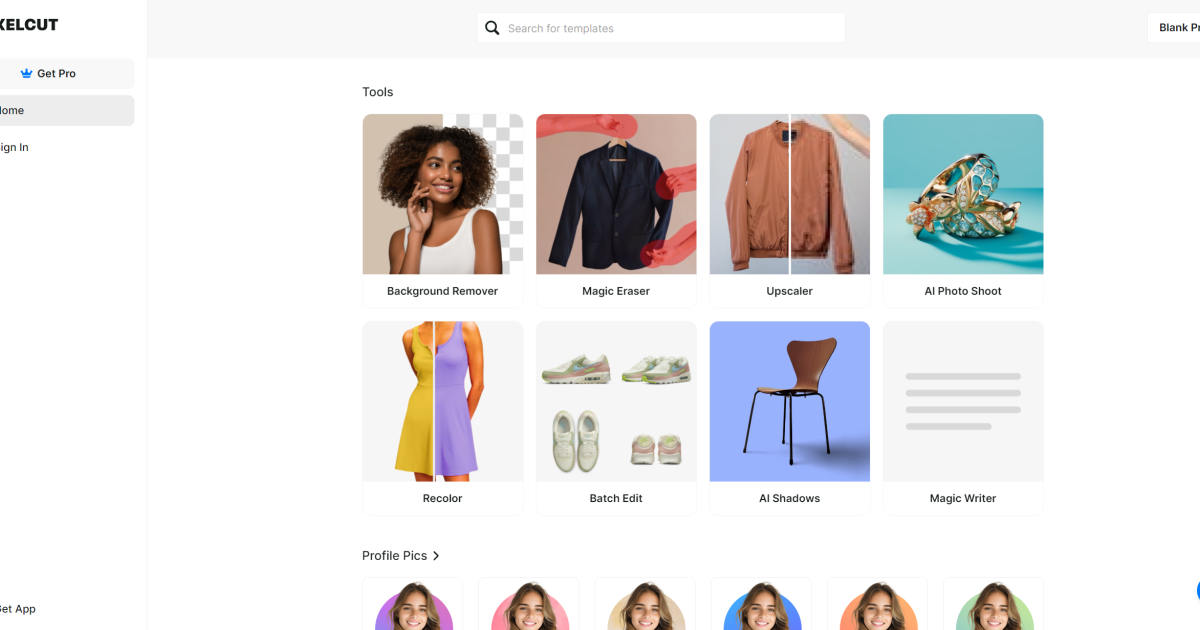
What is Pixelcut AI?
Key features
Background removal
automatically detects and removes backgrounds from photos in seconds
Photo enhancement
adjusts brightness, contrast, saturation, and other basic properties using AI
Object removal
removes unwanted elements from photos
Image resizing and cropping
adjust dimensions for different platforms and uses
Batch processing
edit multiple images at once rather than one at a time
API access
integrate the tool into other applications or workflows
Pros & cons
Advantages
- Fast and straightforward to use; no learning curve for basic tasks
- Free tier covers essential features like background removal and basic edits
- Works entirely in your browser; no software installation needed
- Good for high-volume image editing through batch processing
Limitations
- Relies on AI automation, which may produce imperfect results on complex images or unusual backgrounds
- Limited fine-tuning options compared to professional desktop editing software
- Free tier likely includes usage limits or watermarks on output
Use cases
E-commerce product photography: quickly remove backgrounds and enhance product images for online shops
Social media content: prepare photos for Instagram, TikTok, or other platforms at scale
Real estate listings: enhance property photos and remove distracting background elements
Freelance design work: speed up image preprocessing before more detailed edits
Marketing materials: prepare batch images for newsletters, ads, or promotional content
Ready to try Pixelcut AI?
Pricing
Free
Free
Basic photo editing, background removal, and enhancement with typical free-tier limitations
Premium
Contact for pricing
Higher resolution outputs, batch processing, API access, and priority processing
Get started with Pixelcut AI
Click through to Pixelcut AI and start using it now.
- Free plan available
- No credit card