
Pixelmator Pro Photoshop Plugin
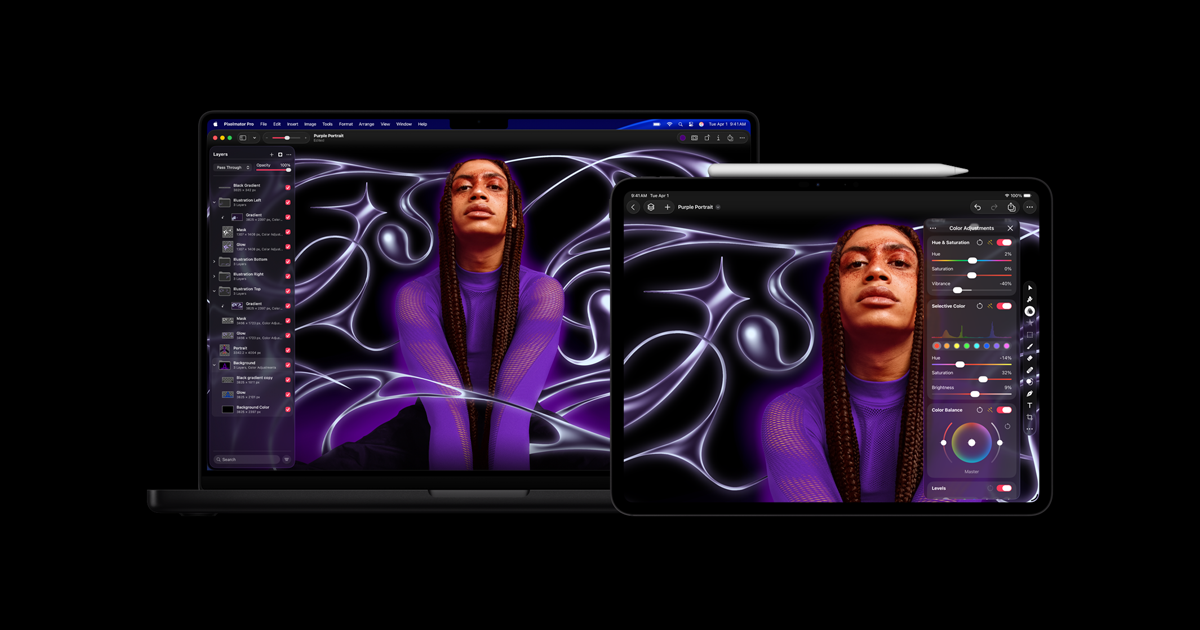
Create custom gradients, adjust colors and contrast, add shapes and filters for dramatic effects.
- Freemium
- macOS, Windows, Photoshop Plugin
- Image Generation
- Free plan available
- No credit card
What is Pixelmator Pro Photoshop Plugin?
Key features
Custom gradient creation
design and apply gradients with fine control over colour stops and transitions
Colour and contrast adjustment
modify hue, saturation, brightness and contrast with real-time preview
Shape tools
add geometric shapes and vector elements to your designs
Filter library
apply visual effects and filters for stylistic changes
Non-destructive editing
work with adjustments that can be modified or removed later
Integration with Photoshop
operates as a native plugin within your existing Photoshop workflow
Pros & cons
Advantages
- No need to switch between applications during photo or design work
- Freemium pricing lets you test the tool before committing to a subscription
- simplified interface focused on specific editing tasks rather than overwhelming options
- Works within Photoshop, so your files and project organisation stay intact
Limitations
- Limited to Photoshop users; doesn't work as a standalone application
- Advanced editing features beyond gradients and basic effects may require the paid tier
- Depends on Photoshop installation, so subscription to Adobe's software is still required
Use cases
Quickly applying colour corrections during a photo editing session without opening separate windows
Creating custom gradients for backgrounds or overlays in web design projects
Adding decorative shapes and filters to social media graphics
Adjusting contrast and saturation across multiple assets in a batch workflow
Experimenting with visual effects on mockups and design comps
Ready to try Pixelmator Pro Photoshop Plugin?
Pricing
Get started with Pixelmator Pro Photoshop Plugin
Click through to Pixelmator Pro Photoshop Plugin and start using it now.
- Free plan available
- No credit card