
RenameClick
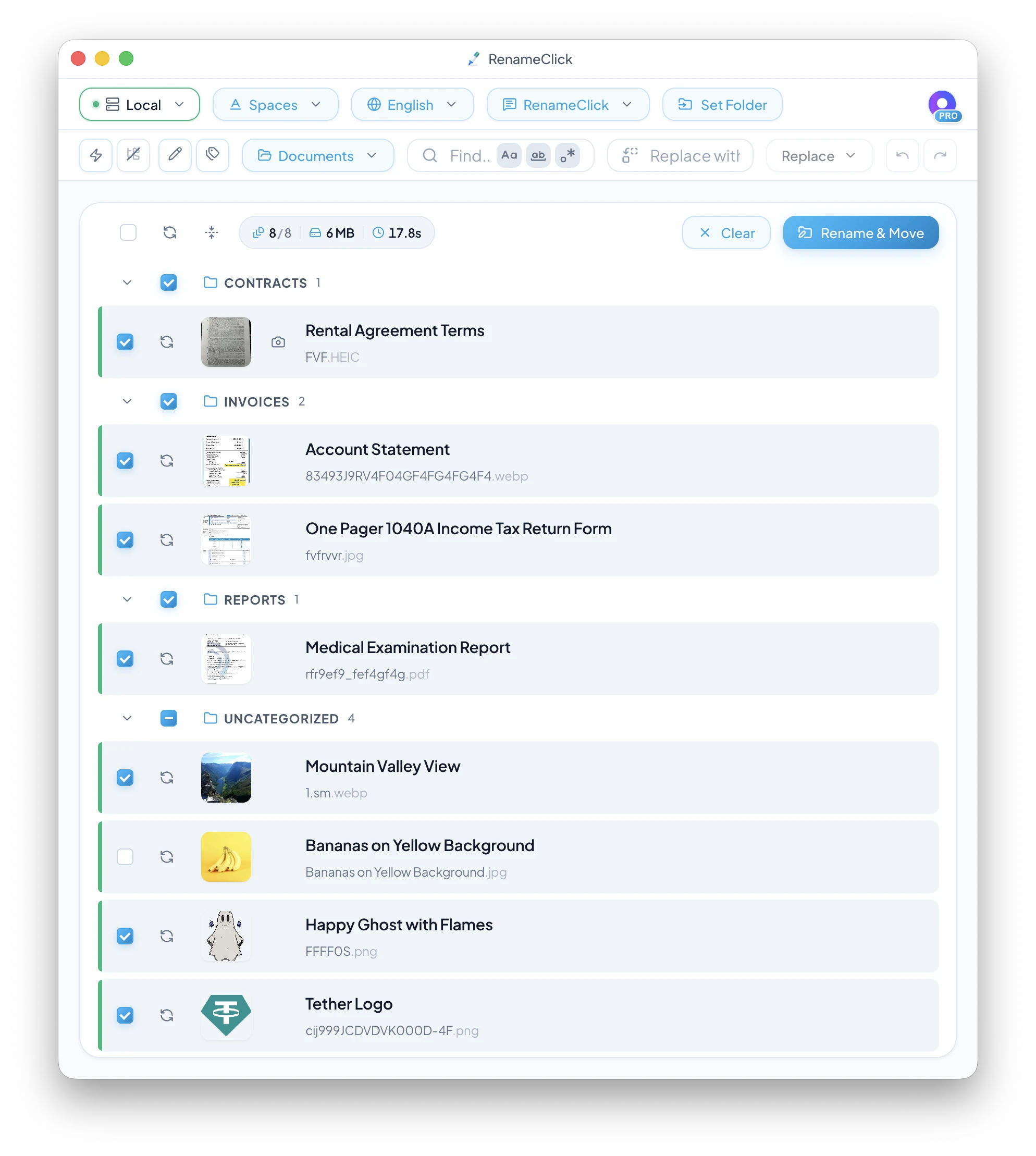
RenameClick is an offline AI file renamer for Mac and Windows that privately analyzes the content of images and documents to generate clear, descriptive filenames—without cloud uploads. Using a built‑
- Free
- macOS, Windows
- Text-to-Image ModelsWritingDesign
- Always free
- No credit card
What is RenameClick?
Key features
Offline AI analysis
processes files locally by default without uploading to the cloud
Multiple AI backend options
use the built-in model, Ollama, LM Studio, OpenAI, or Google AI
Batch renaming
drag and drop multiple files to rename them together
Format support
works with JPG, PNG, PDF, DOCX and other common file types
Multilingual filenames
generates descriptive names in different languages
Privacy-focused
your files and content analysis remain on your device
Pros & cons
Advantages
- No cloud uploads by default keeps your files and their contents private
- Works offline so you don't need an internet connection for the basic functionality
- Flexible AI options let you choose between local models or cloud services based on your needs
- Generous free tier allows 30 files per month at no cost
- One-time Pro purchase gives unlimited renaming with lifetime updates, not subscriptions
Limitations
- Free tier is limited to 30 files monthly, which may be insufficient for large-scale batch operations
- Requires local setup if you want to use Ollama or LM Studio, which adds complexity for non-technical users
- Cloud storage integrations are still on the roadmap, so current workflow integration may be limited
Use cases
Photographers organising large galleries of images with consistent, searchable names
Document management for businesses processing scanned PDFs or forms that need clear naming
Researchers sorting research papers or datasets by content without manual labelling
Archive digitisation projects where hundreds of files need descriptive names based on their content
Teams managing shared document libraries who want consistent naming conventions without leaving the tool
Ready to try RenameClick?
Pricing
Get started with RenameClick
Click through to RenameClick and start using it now.
- Always free
- No credit card