
Retool
Retool AI is a powerful platform for building custom AI apps and workflows quickly. It offers features like customizable AI workflows, secure deployment, AI-powered search, and AI-enhanced developer t
- Freemium
- Web, API
- Task & Project ManagementWorkflow AutomationDevOps & CI/CD
- Free plan available
- No credit card
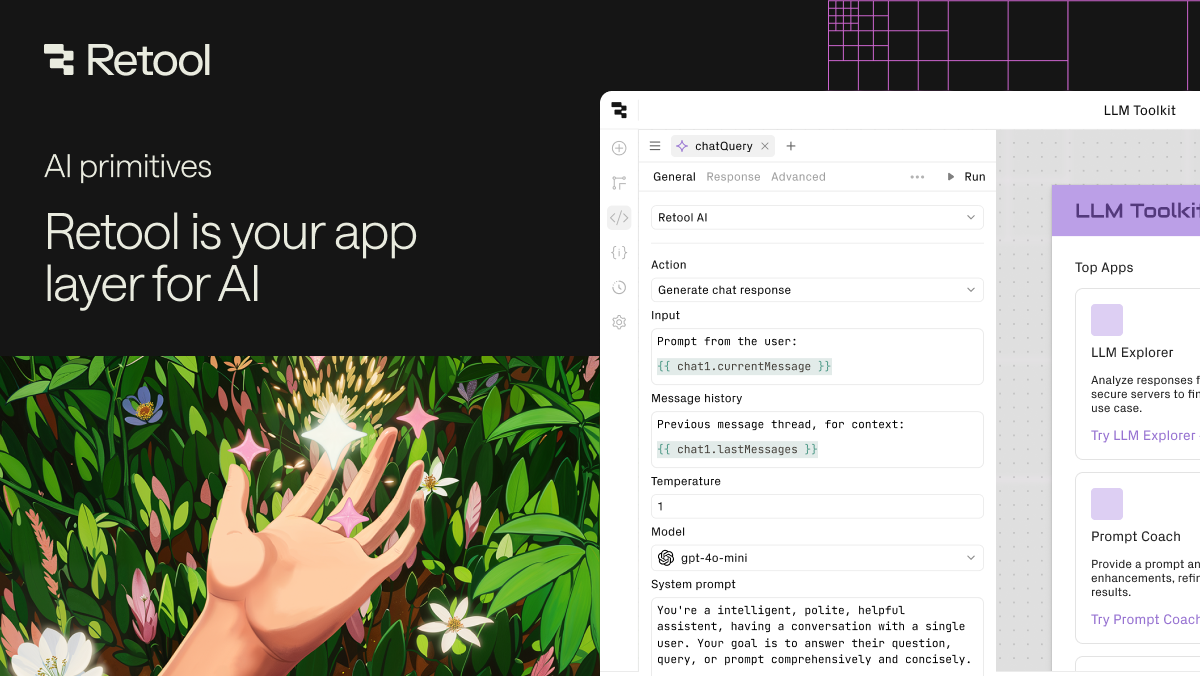
What is Retool?
Key features
Visual workflow builder
Create AI workflows and applications using a drag-and-drop interface without writing extensive code
AI-powered search
Add intelligent search capabilities to your applications that understand context and intent
Database integration
Connect directly to PostgreSQL, MongoDB, Google Sheets, and other data sources
Custom AI bots
Build and deploy conversational AI bots for specific tasks and automations
Task automation
Automate business processes and repetitive tasks across your organisation
Secure deployment
Deploy applications with security and access controls appropriate for internal and external use
Pros & cons
Advantages
- Low-code approach means faster development compared to building from scratch
- Integrates with popular databases and services, reducing time spent on data connections
- Free tier available for testing and small projects
- Works well for internal tools and automations without needing a dedicated development team
Limitations
- Learning curve for building more complex workflows and AI integrations
- Pricing and feature limitations for the free tier not fully detailed, so larger deployments may require paid plans
- Dependent on third-party AI models and integrations, which could affect availability or costs
Use cases
Building internal tools to automate data entry, approvals, and reporting workflows
Creating AI-powered search for internal knowledge bases or documentation
Developing chatbots for customer support or internal Q&A
Automating repetitive business tasks across multiple data sources and systems
Rapidly prototyping AI applications without building backend infrastructure
Ready to try Retool?
Pricing
Free
Free
Access to platform basics; suitable for individual projects and small teams learning the platform
Pro
Contact for pricing
Additional features for production use, increased usage limits, and advanced integrations
Enterprise
Contact for pricing
Custom deployments, dedicated support, security features, and bespoke integrations
Get started with Retool
Click through to Retool and start using it now.
- Free plan available
- No credit card