RLU.AI - AI Photo Transformer
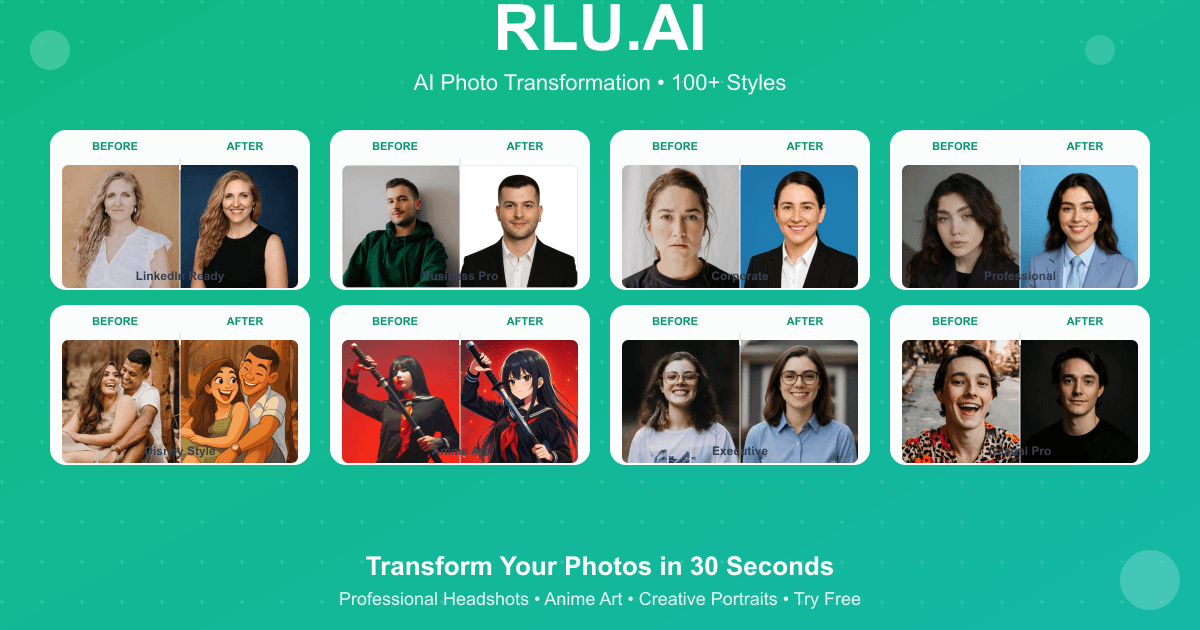
AI photo transformation with 100+ artistic styles
- Free plan available
- No credit card
What is RLU.AI - AI Photo Transformer?
Key features
100+ artistic styles
Access a large library of pre-configured artistic filters covering painting styles, illustration techniques, and effects
Web-based interface
No software installation required; upload and transform images directly in your browser
Batch processing
Apply styles to multiple images at once for efficient workflow
Style customisation
Adjust intensity and parameters of effects to fine-tune the final result
Quick export
Download transformed images in common formats for immediate use
Pros & cons
Advantages
- Large selection of styles reduces the need to try multiple tools for different artistic effects
- Free tier allows experimentation without commitment or payment
- Web-based access means it works on any device with a browser
- Fast processing compared to manual artistic editing in traditional software
Limitations
- Results depend on the quality of input photos; poor source images may produce disappointing transformations
- Limited control over individual parameters compared to professional photo editing software
- Free tier likely includes usage limits, watermarks, or restricted style access
Use cases
Social media creators enhancing posts with artistic variations of photographs
Photographers experimenting with different artistic directions for portfolio work
Content creators producing multiple style variations of images for marketing campaigns
Artists seeking reference images with specific artistic treatments
Ecommerce sellers creating eye-catching product images with artistic effects
Ready to try RLU.AI - AI Photo Transformer?
Pricing
Get started with RLU.AI - AI Photo Transformer
Click through to RLU.AI - AI Photo Transformer and start using it now.
- Free plan available
- No credit card