
ScreenApp
Record, transcribe, and share key insights from virtual trainings, online meetings, and content creation.
- Freemium
- Web, macOS, Windows, Chrome Extension
- Data & AnalyticsWriting
- Free plan available
- No credit card
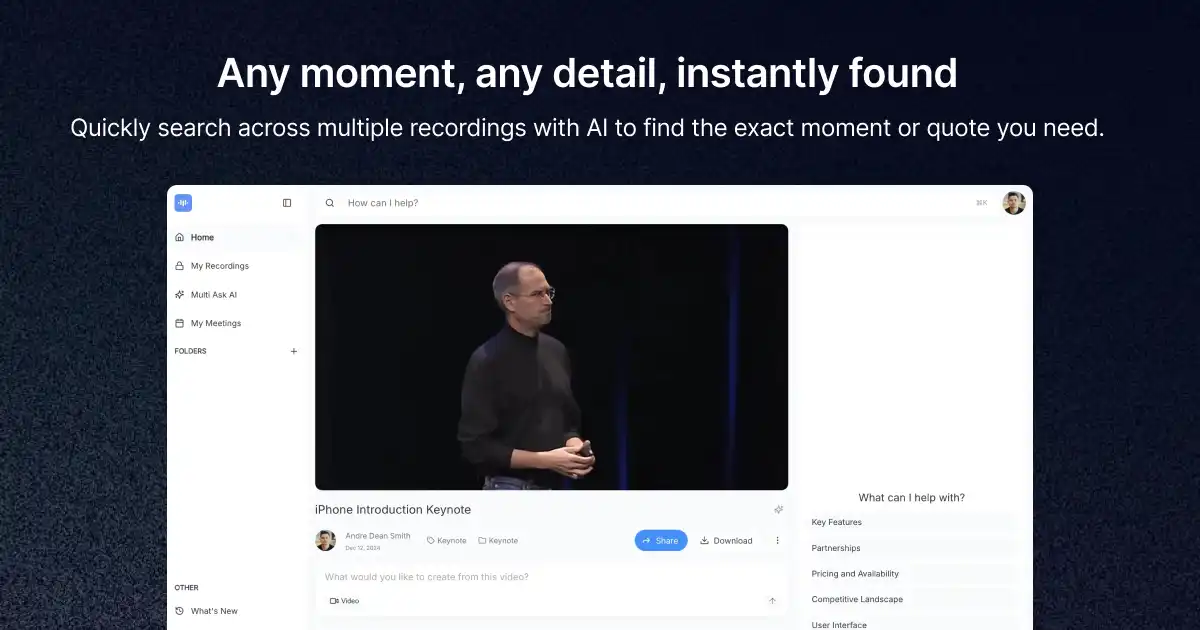
What is ScreenApp?
Key features
Screen and audio recording
Capture video and sound from meetings, training sessions, or desktop activity
Automatic transcription
Converts recorded speech to searchable text automatically
Insight extraction
Helps identify and highlight key points from recordings for quick reference
Sharing options
Share clips, transcripts, or full recordings with team members or external stakeholders
Search functionality
Find specific moments in recordings by searching transcribed text
Meeting platform integration
Works with common video conferencing tools like Zoom, Teams, and Google Meet
Pros & cons
Advantages
- Free tier removes barrier to entry for individuals and small teams
- Automatic transcription saves significant time compared to manual note-taking
- Searchable transcripts make it easy to locate specific information within long recordings
- Useful for compliance, training documentation, and knowledge retention across distributed teams
Limitations
- Transcription accuracy depends on audio quality and accents; may require manual corrections for technical terms
- Free tier likely has storage limits, which could be restrictive for organisations recording frequently
- Reliance on automatic transcription means you still need to review content to extract truly valuable insights
Use cases
Training delivery: Record onboarding sessions and make them available to new hires asynchronously
Sales calls: Capture client meetings for team review and compliance documentation
Content creation: Record tutorial or educational videos with automatically generated captions and transcripts
Research and interviews: Document and transcribe user interviews or expert discussions for analysis
Meeting documentation: Create searchable records of important team discussions for reference
Ready to try ScreenApp?
Pricing
Get started with ScreenApp
Click through to ScreenApp and start using it now.
- Free plan available
- No credit card