
Timely
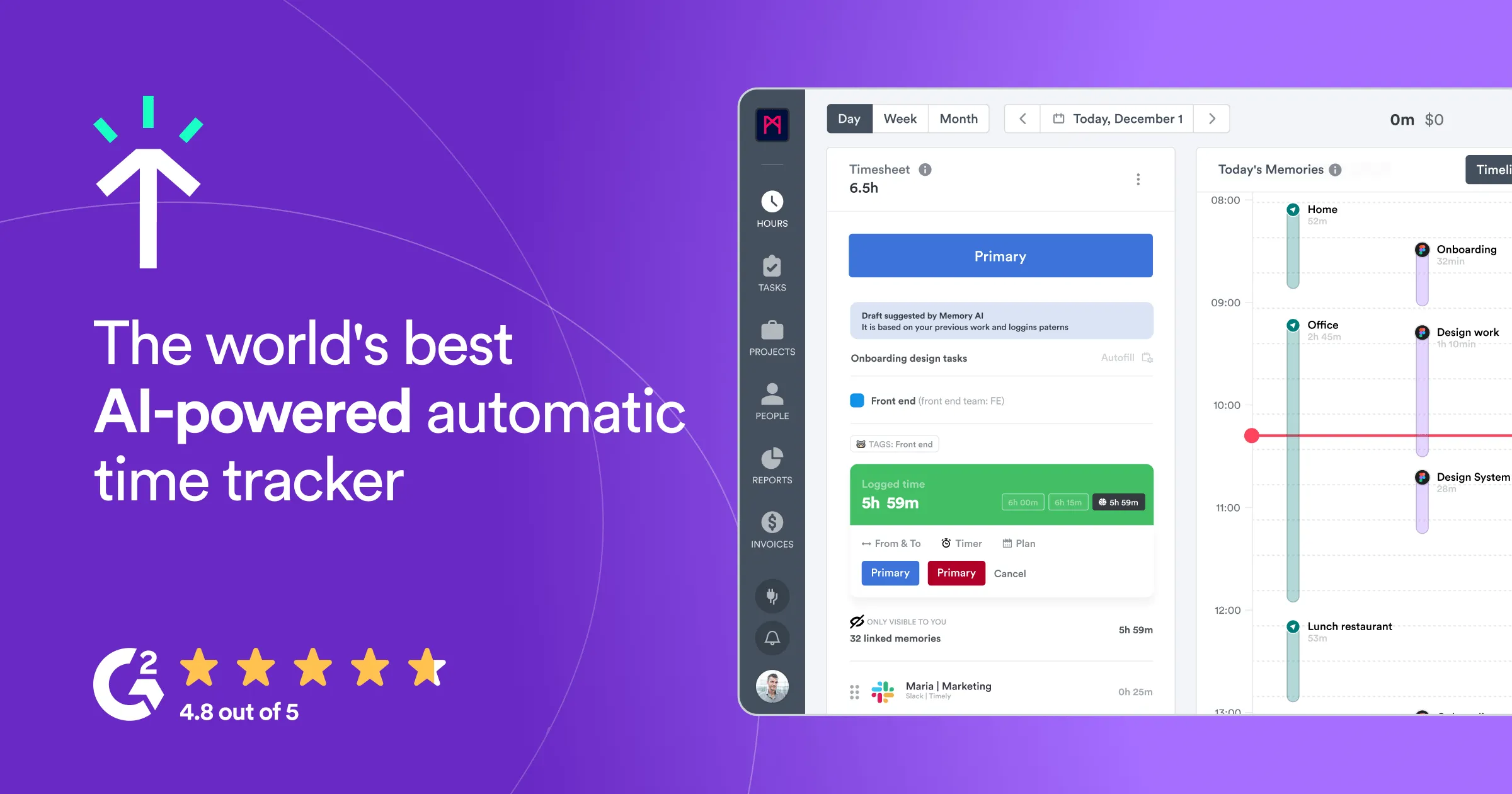
Timely's Memory app aims to revolutionize the way professionals manage their time by automatically tracking their daily activities. The app captures everything you work on from meetings to work tools,
- Free
- Web, macOS, Windows, iOS, Android, Chrome Extension
- AI Tools for Time TrackingData & AnalyticsProductivity
- Always free
- No credit card
What is Timely?
Key features
Automatic activity tracking
Records which applications and websites you use throughout the day without manual input
Visual timeline
Displays your daily activities in an easy-to-read timeline format
Meeting capture
Automatically detects and logs calendar events and meetings
Data privacy controls
Lets you review and exclude sensitive activities before they're recorded
Time analytics
Shows reports on how you spend your working hours across different projects or tasks
Cross-platform sync
Works across desktop and mobile devices to track work across your tools
Pros & cons
Advantages
- Removes the need for manual time logging, saving time on administrative work
- Provides accurate data on actual time spent on tasks rather than estimates
- Free to use with no initial cost barrier
- Helps identify productivity patterns and time-wasting activities
Limitations
- Requires continuous monitoring of your activity, which some users may find intrusive or privacy-concerning
- Depends on accurate categorisation of tracked activities to be useful for billing or reporting
- May have limitations in tracking work done offline or on paper-based tasks
Use cases
Freelancers tracking billable hours across multiple client projects
Agencies reviewing team productivity and time allocation per project
Service-based businesses calculating accurate project costs
Individual professionals understanding their work habits and time distribution
Project managers gathering data on how long tasks actually take
Ready to try Timely?
Pricing
Get started with Timely
Click through to Timely and start using it now.
- Always free
- No credit card