
TinyCommand
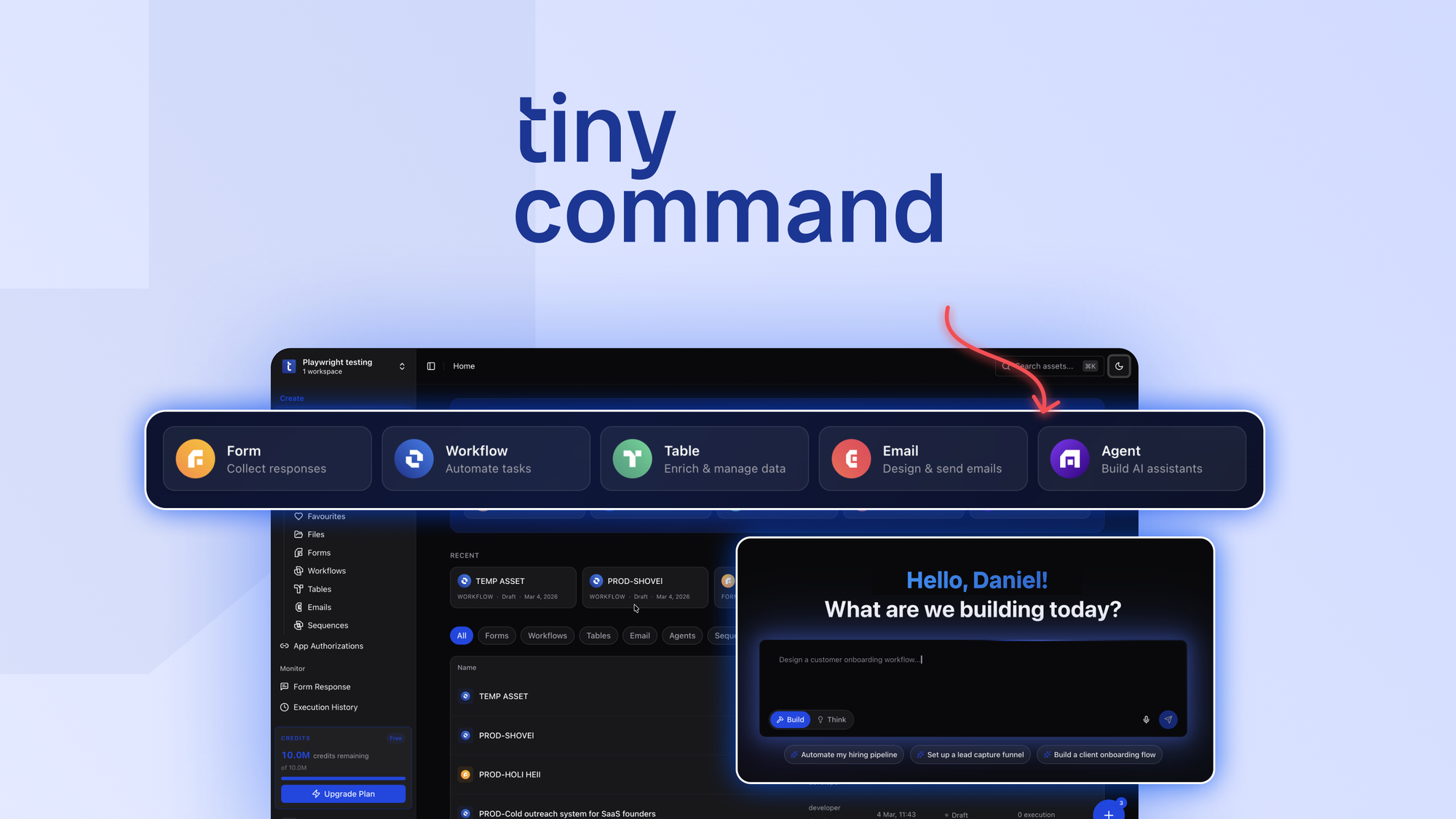
Build forms, automate workflows, enrich data, and deploy AI agents—without stitching tools together
What is TinyCommand?
Key features
Form builder
Create and customise forms for data collection without coding
Workflow automation
Set up automated processes triggered by form submissions or other events
Data enrichment
Automatically add or update information within your workflows
AI agent deployment
Build and deploy AI agents to handle specific tasks or interactions
Integration hub
Connect to external services without building custom integrations
Low-code interface
Designed for non-technical users to set up complex processes
Pros & cons
Advantages
- Combines multiple capabilities in one platform, reducing tool sprawl and switching costs
- No coding required for basic setup, making it accessible to non-technical teams
- AI agent functionality built in rather than bolted on as an afterthought
- Forms and workflows can be deployed quickly without lengthy development cycles
Limitations
- Limited visibility into how the platform compares on pricing and feature depth versus competitors offering similar capabilities
- May have constraints on complexity for organisations with highly customised or unusual workflows
Use cases
Customer onboarding: Collect information via forms and automatically trigger follow-up workflows
Lead qualification: Use AI agents to assess and enrich prospect data automatically
Support request processing: Route incoming forms to the right team and log responses
Data collection campaigns: Build forms that feed directly into automated analysis or storage
Repetitive task automation: Replace manual processes like data entry or basic client communication
Ready to try TinyCommand?
Pricing
Paid plans
Pricing available via AppSumo or direct website
Specific tier details not verified; visit https://appsumo.com/products/tinycommand/ for current pricing and feature breakdown
Get started with TinyCommand
Click through to TinyCommand and start using it now.