
TinyWow
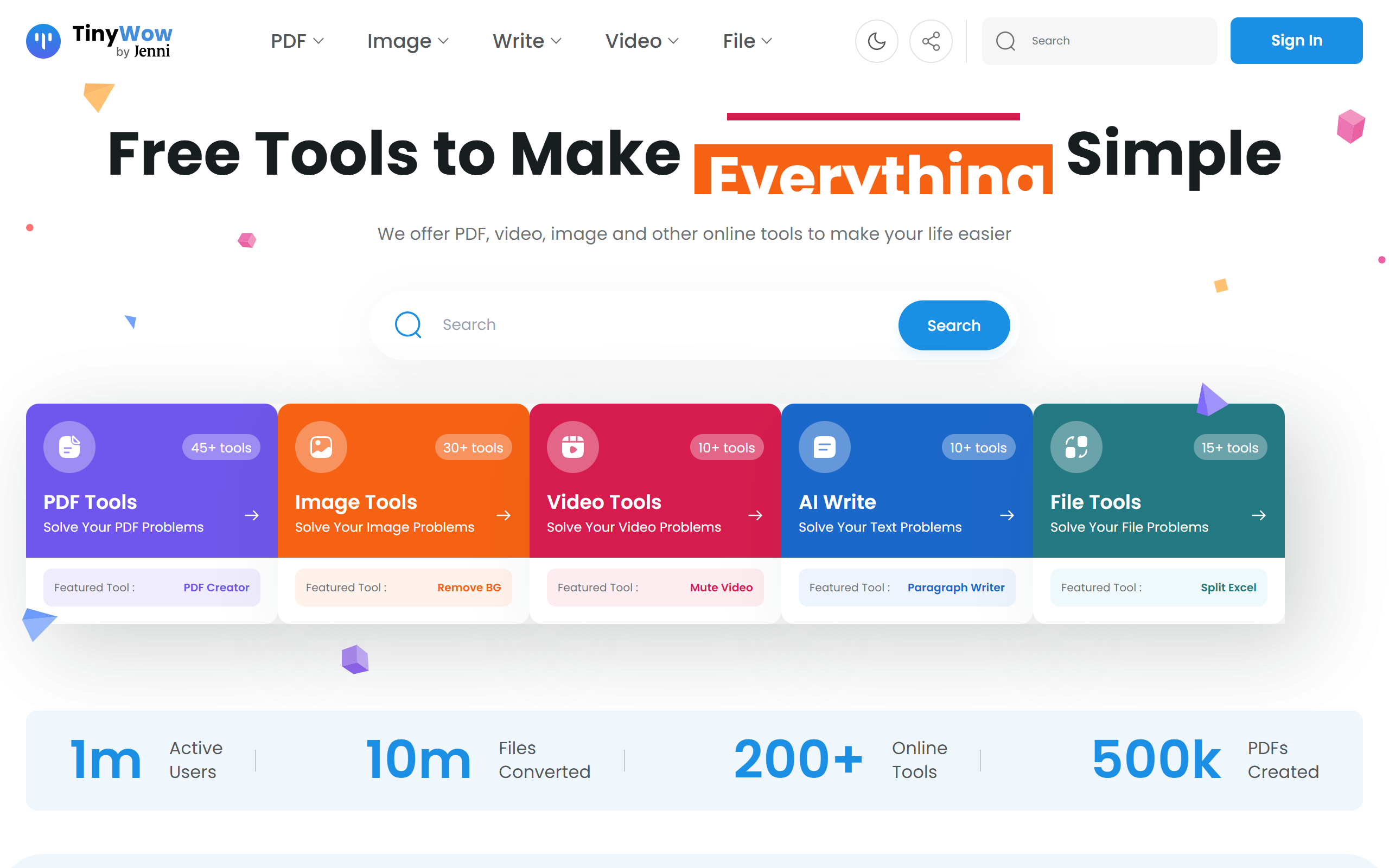
Free online PDF, image, video, writing and file conversion tools with no sign-up required for basic use.
- Freemium
- Web
- VideoWritingImage Generation
- Free plan available
- No credit card
What is TinyWow?
Key features
PDF tools
Edit, merge, split, compress and convert PDF files, with over 45 PDF utilities available.
Image tools
Remove backgrounds, upscale, resize, compress and generate images using AI.
Video tools
Compress, convert, download and transcribe video files in the browser.
AI writing tools
Generate essays, paragraphs and articles, and fix grammar with AI assistance.
File conversion tools
Convert between formats such as Excel, CSV, XML and JSON.
No sign-up for basic use
Most featured tools run without creating an account or hitting usage caps.
Automatic file deletion
All uploaded files and text are deleted one hour after processing.
Pros & cons
Advantages
- Most basic tools are usable for free without creating an account, which lowers the barrier to entry.
- A single platform covers PDF, image, video, writing and file conversion tasks instead of needing separate apps.
- Files and text are automatically deleted after one hour, which helps with privacy for sensitive documents.
- The tool catalogue is broad, with over 200 utilities spanning multiple file types and use cases.
- Premium removes advertisements and CAPTCHAs and adds priority processing for users who need it regularly.
Limitations
- The free tier includes advertisements and CAPTCHA verification, which can slow down workflows.
- Free usage is subject to limits, with unlimited usage and faster processing reserved for premium subscribers.
- Tools run in the browser only, so there is no dedicated desktop or mobile application.
- Output quality from automated AI writing and image tools can vary and may need manual review.
Use cases
Students and writers generate draft essays, paragraphs and articles and fix grammar using the AI writing tools.
Office workers merge, split, compress and convert PDF documents without installing desktop software.
Designers and marketers remove image backgrounds, upscale and compress images for web and social use.
Anyone needing quick file format conversions between Excel, CSV, XML, JSON and similar formats.
Content creators compress, convert and transcribe video files directly in the browser.
Privacy-conscious users process one-off documents knowing files are deleted after one hour.
Ready to try TinyWow?
Pricing
Free
Free
Access to all 200+ tools with advertisements, CAPTCHA verification and standard usage limits.
Premium Monthly
20 per month
No advertisements, skip all CAPTCHAs, unlimited usage and priority processing for faster results.
Premium Yearly
15 per month billed annually
All premium benefits at a lower per-month rate when billed annually.
Get started with TinyWow
Click through to TinyWow and start using it now.
- Free plan available
- No credit card