
TrySchedule
Free Online Schedule Builder , No Login Required
- Always free
- No credit card
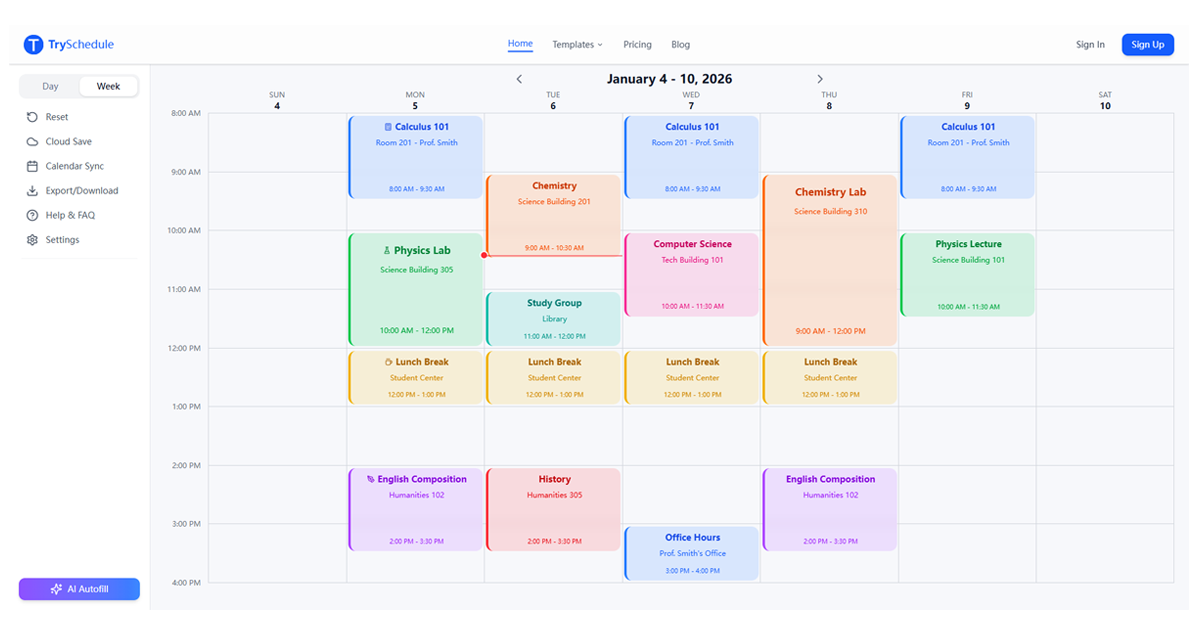
What is TrySchedule?
Key features
No login required
access the tool immediately without creating an account
Drag-and-drop interface
arrange schedule blocks visually
Shareable schedules
generate links to share your finished schedule with others
Customisable time slots
adjust the duration and number of time periods to suit your needs
Multiple schedule formats
support for different layout options (grid, list, or calendar view)
Pros & cons
Advantages
- Instant access with no signup friction makes it ideal for one-off scheduling needs
- Free to use with no hidden paywalls or feature restrictions
- Simple, intuitive interface that requires minimal learning
- Easy sharing options let others view your schedule without their own accounts
Limitations
- Limited advanced features like notifications, recurring events, or calendar integrations compared to dedicated scheduling software
- No user accounts mean schedules aren't saved to a personal dashboard; you'll need to bookmark or save links manually
Use cases
Creating weekly class timetables for schools or training courses
Planning staff rotas and shift schedules for small teams
Organising event timelines and session schedules for conferences or workshops
Building volunteer schedules for community organisations
Creating shared household or family schedules
Ready to try TrySchedule?
Pricing
Free
Free
Full access to schedule builder, no login required, shareable schedules, no feature limitations
Get started with TrySchedule
Click through to TrySchedule and start using it now.
- Always free
- No credit card