UnblurImage AI
Unblurimage AI is a free, web-based image enhancement tool that instantly transforms blurry, low-resolution photos into sharp, high-resolution results. Using advanced deep-learning models, it removes
- Always free
- No credit card
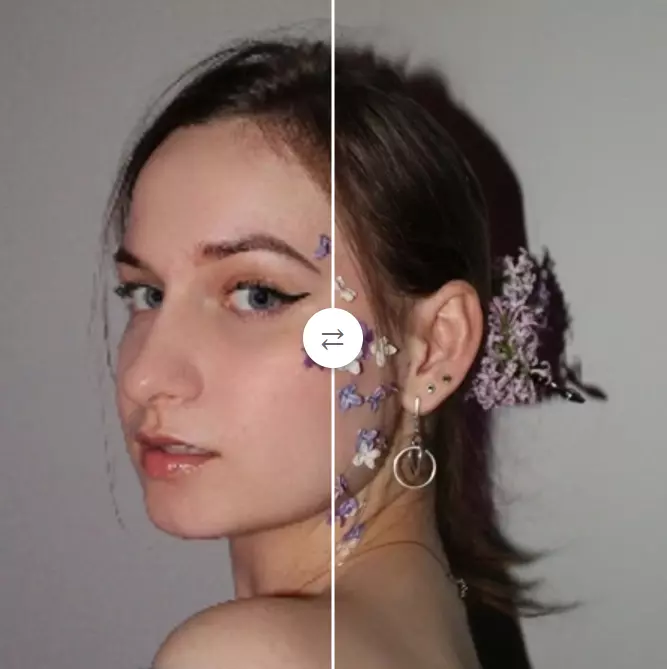
What is UnblurImage AI?
Key features
Blur removal
Uses deep learning to reduce or eliminate motion blur and out-of-focus areas
Image upscaling
Enlarges images by 2x or 4x resolution, up to 4K quality
Noise reduction
Minimises grain and digital noise whilst preserving detail
Batch processing
Handle multiple images in one session
No sign-up required
Start using immediately without creating an account
Format support
Works with JPG, PNG, WEBP, BMP, and HEIC files
Pros & cons
Advantages
- Completely free with no subscription or hidden costs
- Fast processing; results typically appear in seconds
- No account needed; privacy-first approach with no file storage
- Works across desktop and mobile browsers
- Handles multiple common image formats
Limitations
- Quality improvement depends on the original image; heavily damaged photos may show limited results
- Upscaling is limited to 4x; very large enlargements may reduce sharpness
- Processing speed may vary during peak usage times
Use cases
Restoring old family photos or archived documents
Improving product images for e-commerce listings
Enhancing social media assets and profile pictures
Sharpening screenshots or low-quality digital captures
Preparing low-resolution images for print or display
Ready to try UnblurImage AI?
Pricing
Free
Free
Full access to blur removal, upscaling, noise reduction, batch processing, and all supported formats with no account required
Get started with UnblurImage AI
Click through to UnblurImage AI and start using it now.
- Always free
- No credit card