Zivy
Zivy is an AI-powered Slack productivity copilot that filters noise, summarizes long threads, automates follow-ups, drafts instant replies in your voice, and turns messages into trackable tasks—helpin
- Freemium
- Web, Slack integration
- ProductivityAudioAI Summarizers
- Free plan available
- No credit card
What is Zivy?
Key features
Thread summaries
automatically condenses long Slack conversations into key points so you don't have to read everything
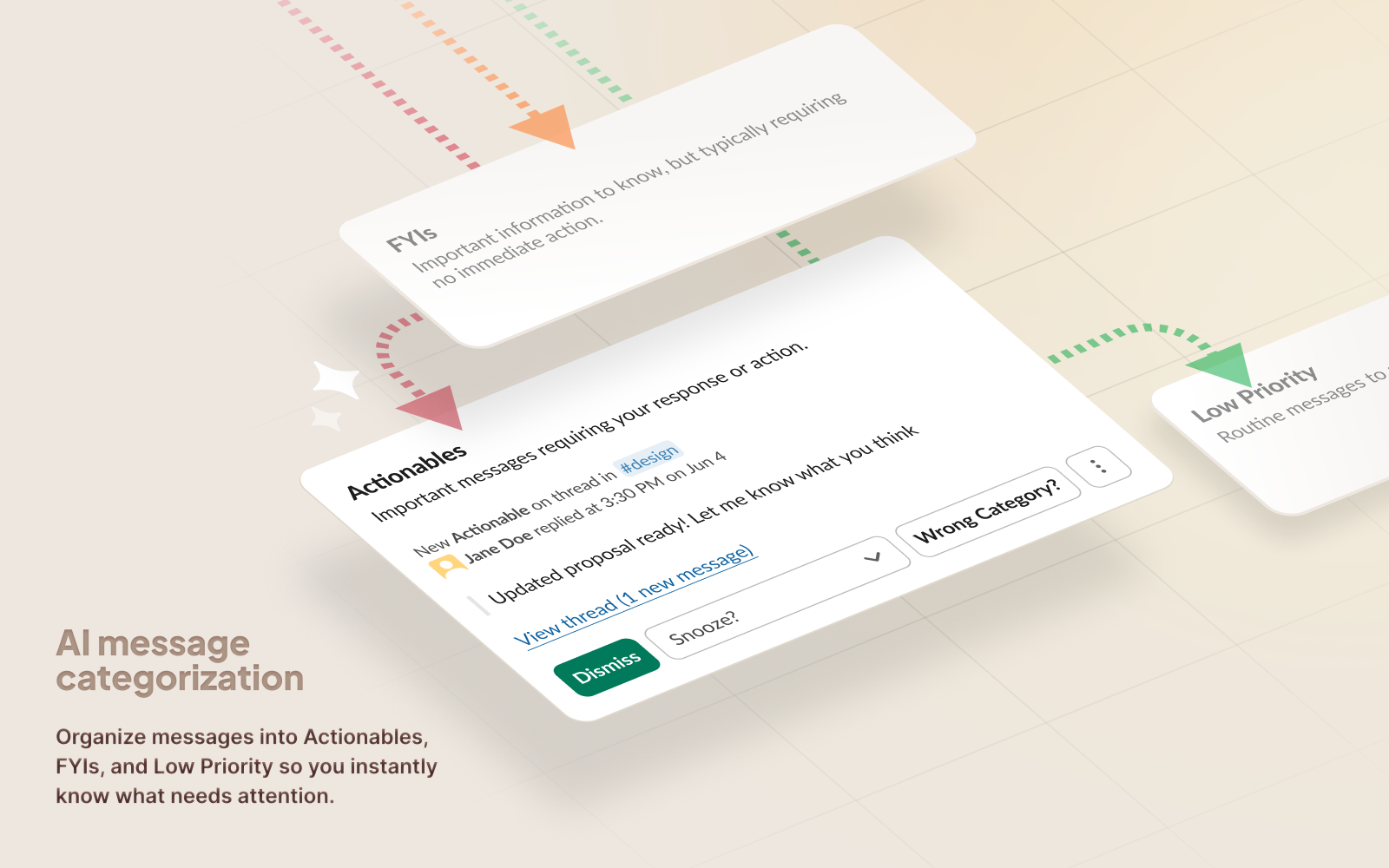
Message filtering
helps you focus on important messages and reduces notification fatigue
Reply drafting
generates suggested responses in your voice, saving time on routine messages
Task conversion
turns Slack messages into trackable action items in your workflow
Follow-up automation
reminds you about outstanding items so they don't get forgotten
Analytics
shows you insights about your Slack usage and productivity patterns
Pros & cons
Advantages
- Works directly within Slack, so no context switching between apps
- Learns your writing style to draft responses that sound like you
- Frees up time on routine tasks like reading long threads and typing responses
- Helps teams stay organised by converting messages to trackable tasks
Limitations
- Effectiveness depends on Slack adoption within your team; less useful if people use other channels or tools
- AI-generated summaries and replies may need review to ensure accuracy and tone in sensitive conversations
- Requires the bot to be added to your Slack workspace, which needs admin approval
Use cases
Large teams or enterprises struggling with high Slack message volume and notification overload
Remote and distributed teams who rely heavily on async communication via Slack
Project managers and team leads tracking multiple action items across conversations
Support or customer success teams responding to many similar customer queries
Organisations looking to improve response times and reduce message-related context switching
Ready to try Zivy?
Pricing
Pro
Pricing not publicly specified
Advanced features including reply drafting, follow-up automation, Calendar Connect, analytics, and priority support
Enterprise
Custom pricing
Dedicated support, custom integrations, advanced security options, and team management controls for large organisations
Get started with Zivy
Click through to Zivy and start using it now.
- Free plan available
- No credit card